Broksoft platform capabilities
- Platform version
- 0.3.680
- Document updated
- 8 September 2026
- Chapters
- 22
- Screenshot source
- demo.broksoft.eu demonstration environment
- Data in screenshots
- Anonymised demonstration data; client, custodian and counterparty identities are synthetic. Screenshots retain the language of the product interface.
Your back office.
In detail.
From client onboarding to regulatory reporting. Explore Broksoft’s trading, settlement, accounting, fee and compliance workflows, illustrated with real product screens.
About the platform
Back office, client portal, accounting and reporting in one system
Broksoft is a multi-asset operations and accounting platform for financial services firms. It brings together client onboarding and servicing, order receipt and execution, settlement and custody records, cash and securities accounting, fees, client and regulatory reporting, and compliance. All modules share a single database.
For readability, this documentation generally refers to the firm using the platform as the brokerage firm. Where the distinction affects the workflow, it uses the specific role: custodian or depository for safekeeping and asset records, trading venue operator for organising trading, and asset manager for managing client assets.
The platform can be deployed on your own servers (self-hosted) or in an environment managed by us. With a self-hosted deployment, your data stays within your infrastructure. The delivery model does not tie you to the supplier's cloud: you control the deployment environment and use the software under the terms of your licence.
Who uses Broksoft
- Brokerage firms serving retail and corporate clients — the full lifecycle from client onboarding to account statements.
- Brokerage firms working through intermediaries — omnibus accounts with sub-accounts and separate records (see “Omnibus accounts and sub-accounts”).
- Multi-asset firms — equities, bonds, funds, derivatives, foreign exchange and cryptocurrencies within one accounting framework.
- Custodians — custody locations, accounts with upstream depositories, custody fees based on the actual safekeeping location, and DVP/FOP settlement instructions.
- Asset managers — client portfolios, valuations and profit and loss (P&L), management and performance fees, and reporting to asset owners.
- Virtual asset service providers (VASPs) — wallets with address approval, cryptoasset valuation, a trading mode in which the firm acts as counterparty to each leg, and supervisory reporting.
- Supervised firms — an audit trail, independent transaction approval, reporting to the financial intelligence unit and retention of supporting evidence.
Core components
Brokerage workspace
Clients, accounts, instruments, orders, transactions, settlement, reports and settings. Each staff member's role determines their access to data and permitted actions.
Client portal
Portfolios, orders, transactions, reports, documents, know your customer (KYC) checks and notifications. Clients access their own data from the same accounting system used by the brokerage firm.
Intermediary portal
A separate login for the omnibus account holder, with access to its sub-accounts, trade allocations, statements and withholdings.
Accounting core
Double-entry accounting, position lots, end-of-day close, fees and taxes. Calculations are performed centrally within the system.
Three operating principles
- One set of calculation rules. Fee rates, exchange rates and position cost bases are determined centrally. The interface, reports and fee debits use the same result, eliminating separate implementations of the same rule that could diverge.
- Explicit verification status. An unknown value is never replaced with zero, and an incomplete check is never presented as successful. The system clearly identifies unavailable data and verification results.
- Configuration without a new software release. Within the business logic supported by the platform, transaction types, mandatory fields, fee plans, reference data, date and number formats, and the choice of available languages are configurable. The brokerage firm manages these settings without changing the code.
Brokerage workspace
Operational tasks, client records and instruments
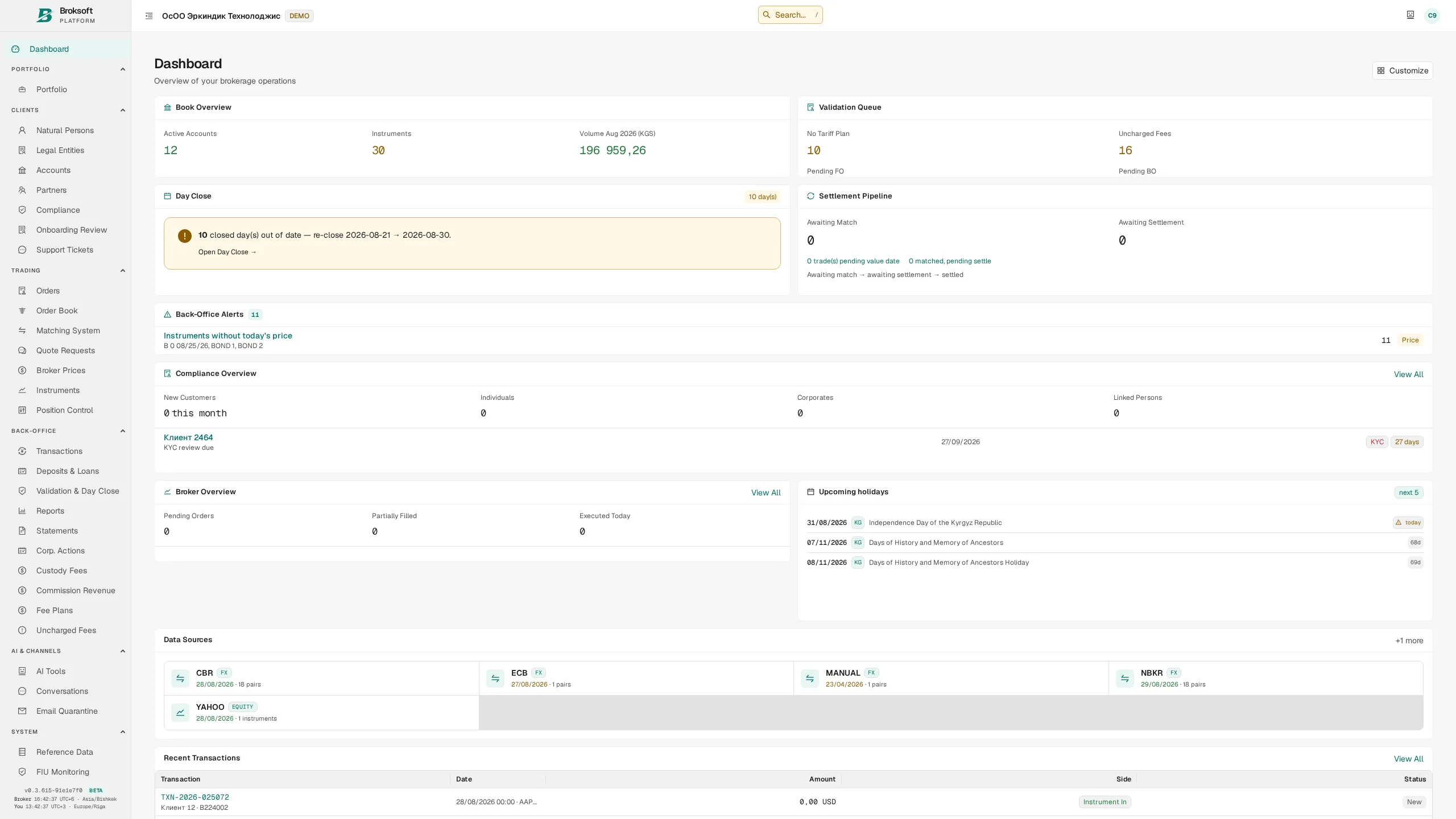
The dashboard highlights tasks that need attention: transactions awaiting review, upcoming settlements, days awaiting close, instruments with missing prices and unmatched settlement instructions. Each indicator opens the relevant section.
Clients and accounts
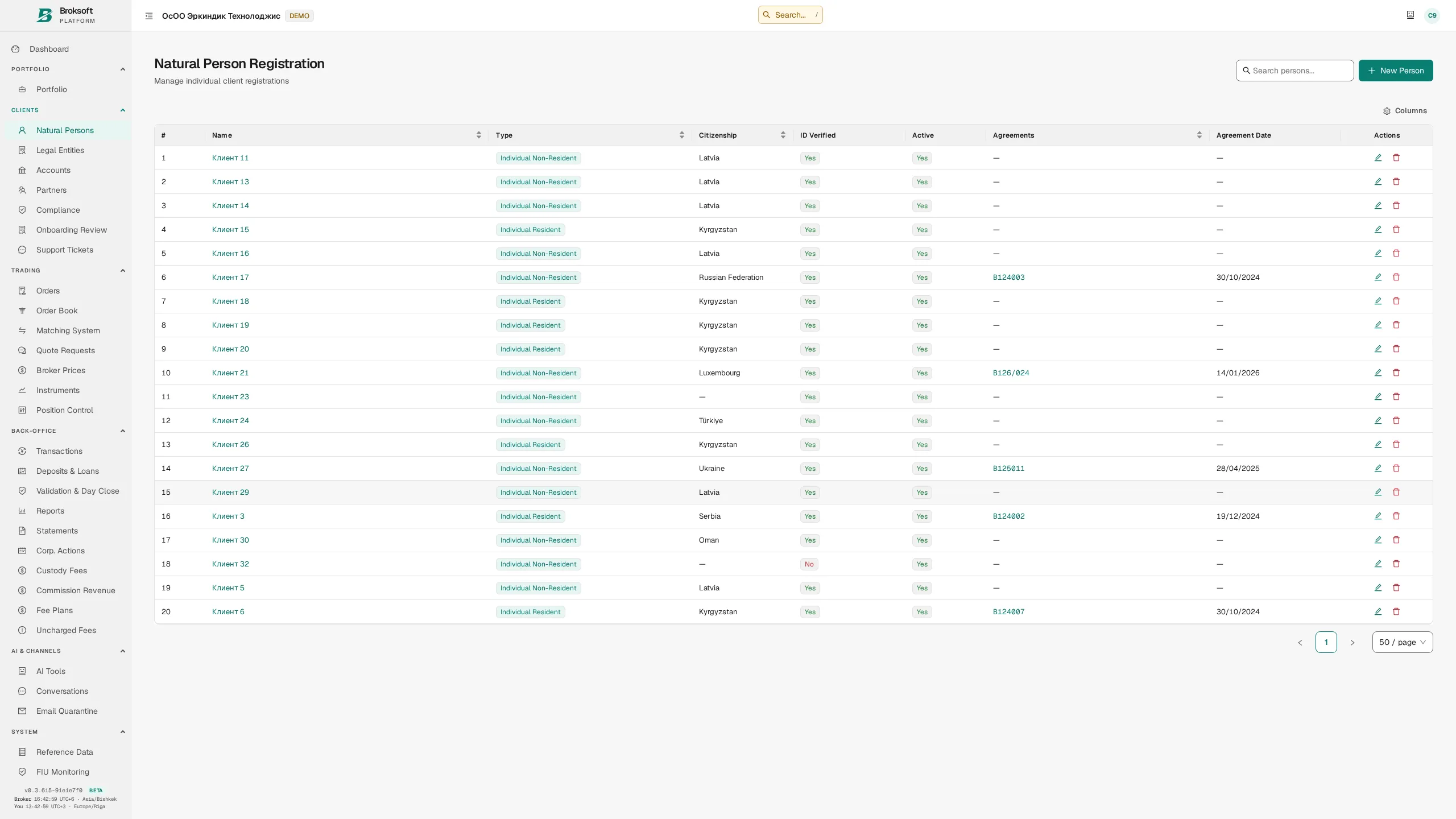
Clients are registered as individuals or legal entities. Their records include country, residency, client type, MiFID classification, industry, documents, contacts and related parties, ownership interests and bank details. The brokerage firm determines which fields are mandatory — see the section on platform configuration.
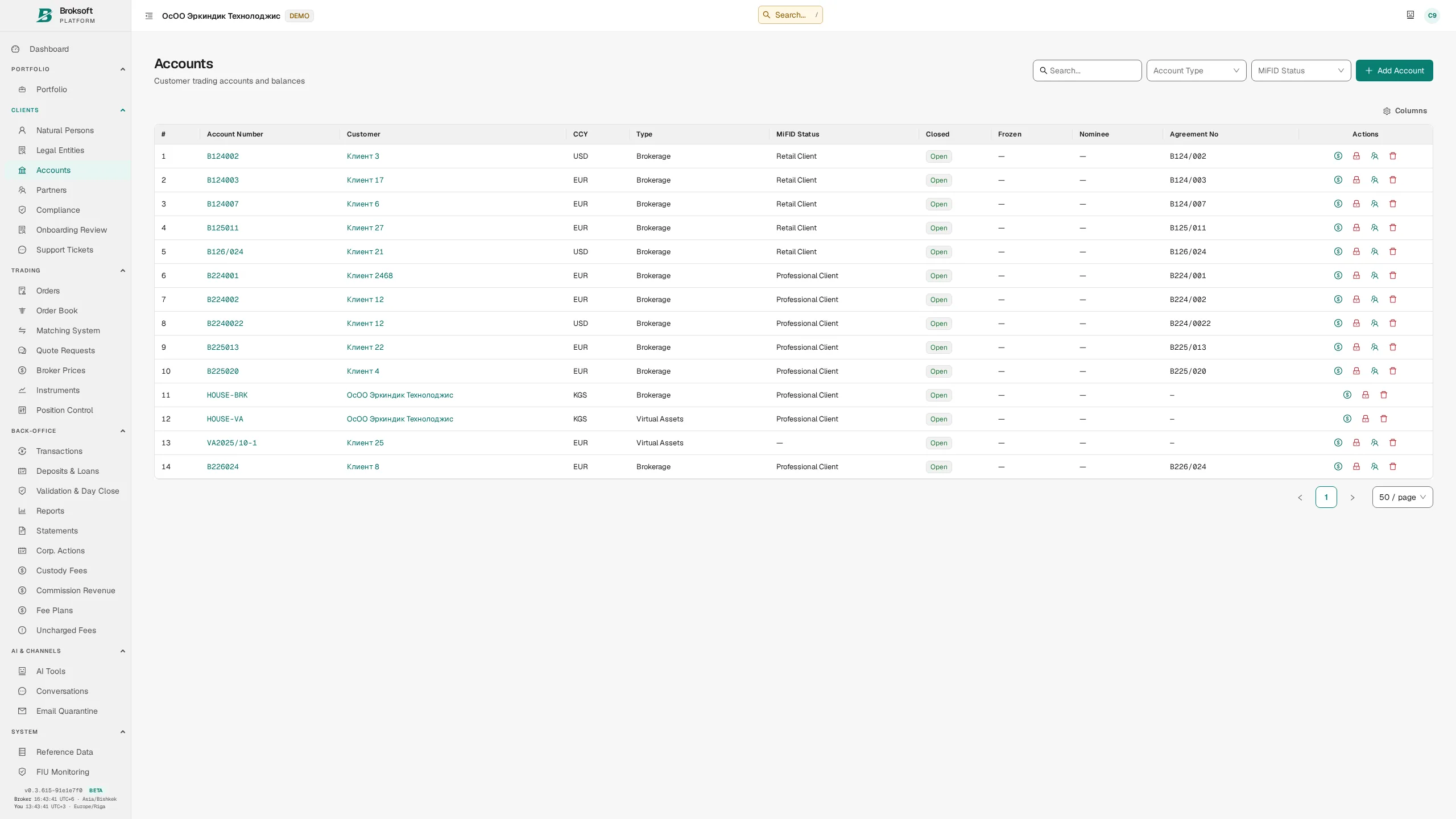
The platform supports brokerage, custody and nominee (omnibus) accounts, as well as the brokerage firm's own house accounts. Each account has a base currency, custodian, fee plan, permitted transactions, reporting settings and lot disposal method: average cost or FIFO.
Instruments
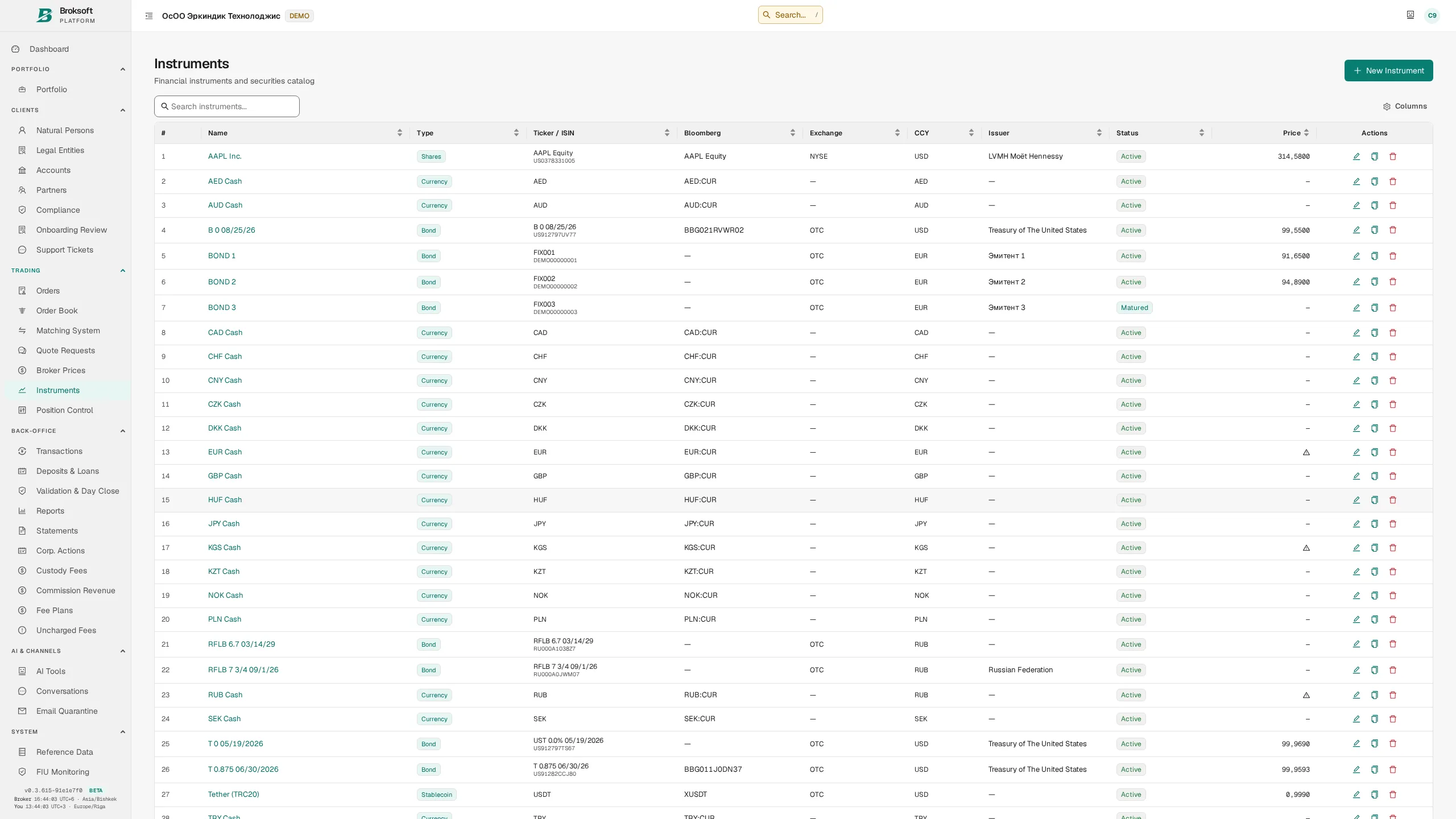
A single instrument master covers equities, bonds, ETFs and other funds, derivatives, currencies, cryptocurrencies and cash instruments. The available fields depend on the instrument type: bonds have coupon terms, maturity, face value, day-count convention, early redemption provisions and a coupon schedule; derivatives have an underlying asset, expiry and contract multiplier; cryptocurrencies have a network and a required number of confirmations.
Coupon schedules are generated automatically according to the instrument's rules, using either calendar-aligned dates or a fixed number of days per period. Accrued interest is calculated for the selected date using the specified day-count convention, including ACT/365, ACT/360 and 30/360.
Orders and execution
From client instruction to a recorded trade
Orders
Clients submit orders through the portal or give instructions to an operator by telephone; back-office staff can also enter orders. The platform supports market and limit orders, day, good-till-date and good-till-cancelled validity, partial fills, cancellation with a stated reason, and brokerage processing of client cancellation requests.
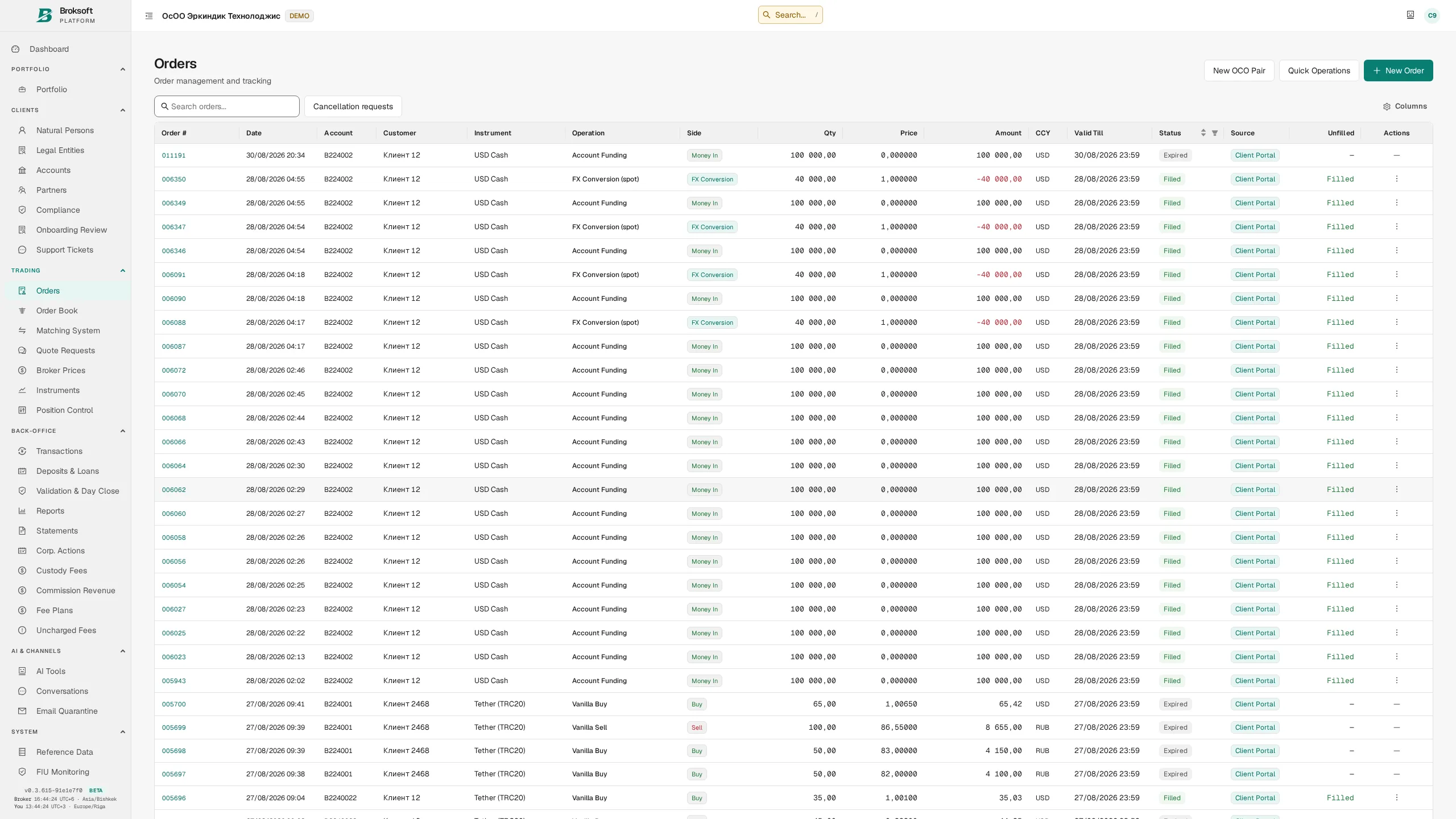
- OCO — a pair of linked “one cancels the other” orders: a full or partial fill, or cancellation of one order, automatically cancels the other.
- Allocations — distribution of the executed quantity across client accounts.
- Directed orders (DVP External) — orders to trade with a named external counterparty; they do not participate in anonymous order matching.
- Cash instructions — funding, withdrawal, currency conversion and deposit placement, with approval rules and an audit trail of actions.
- Validity — the “valid until” date depends on the selected time in force (TIF). DAY and GTD require an expiry date; GTC remains valid until cancelled. If neither a time in force nor a date is selected, the default is the current day. End-of-day close marks an order as expired only after its validity has elapsed.
Internal order book
Opposing client orders are matched in the internal order book. It displays market depth by price level and supports automatic and manual matching. The seller's deliverable holdings are checked before execution, and both sides of the trade execute atomically. Insufficient holdings cause the entire trade to be rejected, without leaving only one side recorded.
In the principal trading mode for cryptocurrencies, direct trades between clients are prohibited: the brokerage firm acts as counterparty to each leg. Each leg has its own fee and settlement. This workflow applies to the principal mode and does not describe the platform's exchange mode.
Trading desk: client orders and the house book
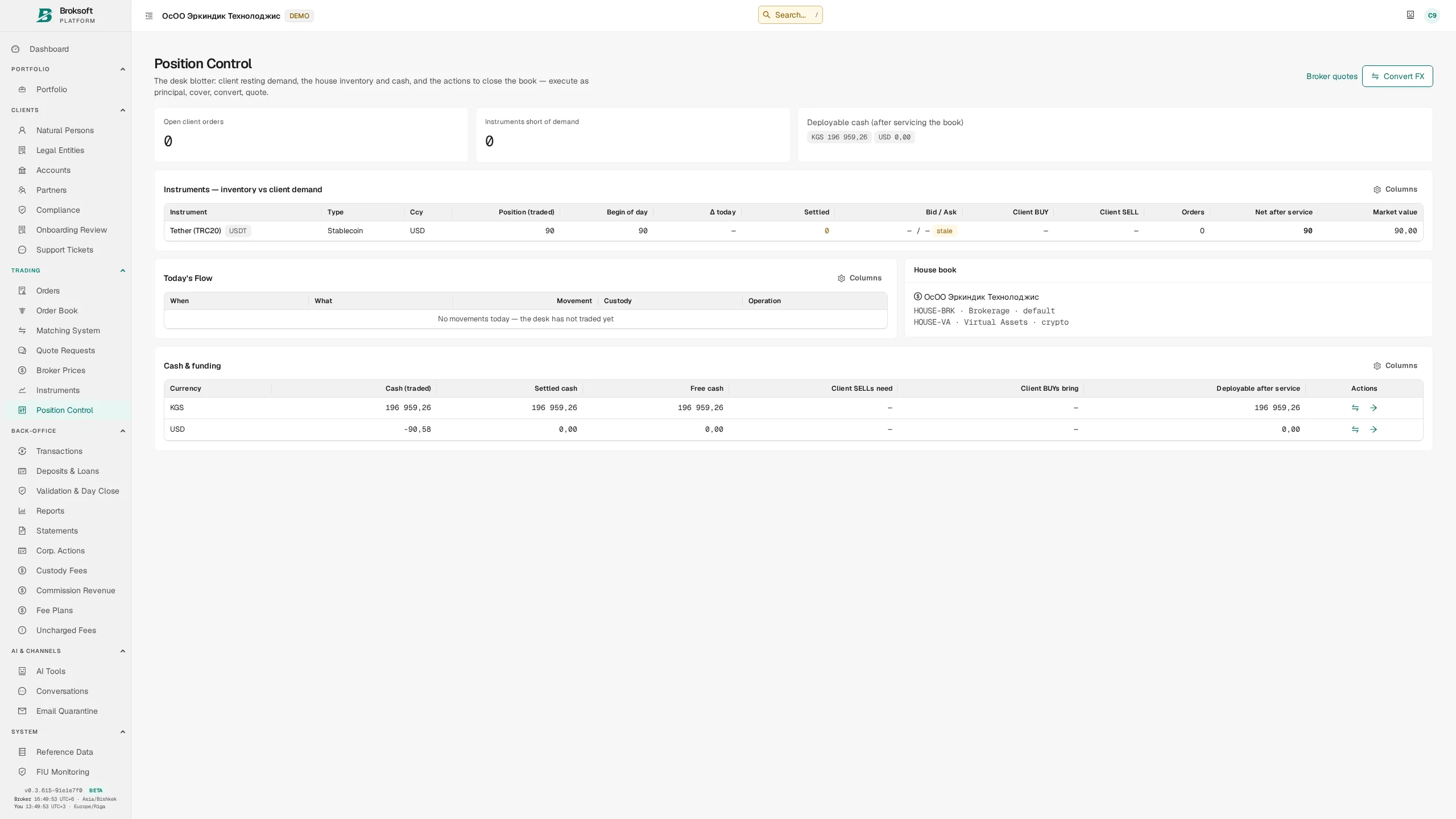
A dedicated screen combines client demand to buy and sell, the brokerage firm's house positions, and available cash after allowing for client obligations. Staff can execute an order against the house book, enter into a covering trade with a counterparty, convert currency or publish a quote from the same screen.
Request for quote (RFQ)
For less liquid instruments and larger trades, staff can request quotes from counterparties, retain and compare their offers, and select execution terms. The accepted quote is retained with the trade as supporting evidence for subsequent execution quality review.
Settlement and custody
Safekeeping locations, settlement dates and obligations
Settlement instructions
The platform supports delivery versus payment (DVP) and free of payment (FOP) transfers, both within the platform and with external counterparties. Internal instructions are matched in pairs: the system identifies the opposing instruction, displays the matching status and permits settlement only once the pair is matched.
- Statuses — unmatched, matched, settled and broken match. Discrepancies are displayed explicitly.
- Settlement date — calculated using the market calendar, including weekends and holidays (T+0…T+n). Calendars are maintained in market reference data.
- Cancellation with a reason — cancelling an instruction requires a reason from the reference list. The audit trail records when and why it was cancelled.
- Custody location for each trade leg — positions are recorded by safekeeping location, preserving that detail within the account.
Custodians and safekeeping locations
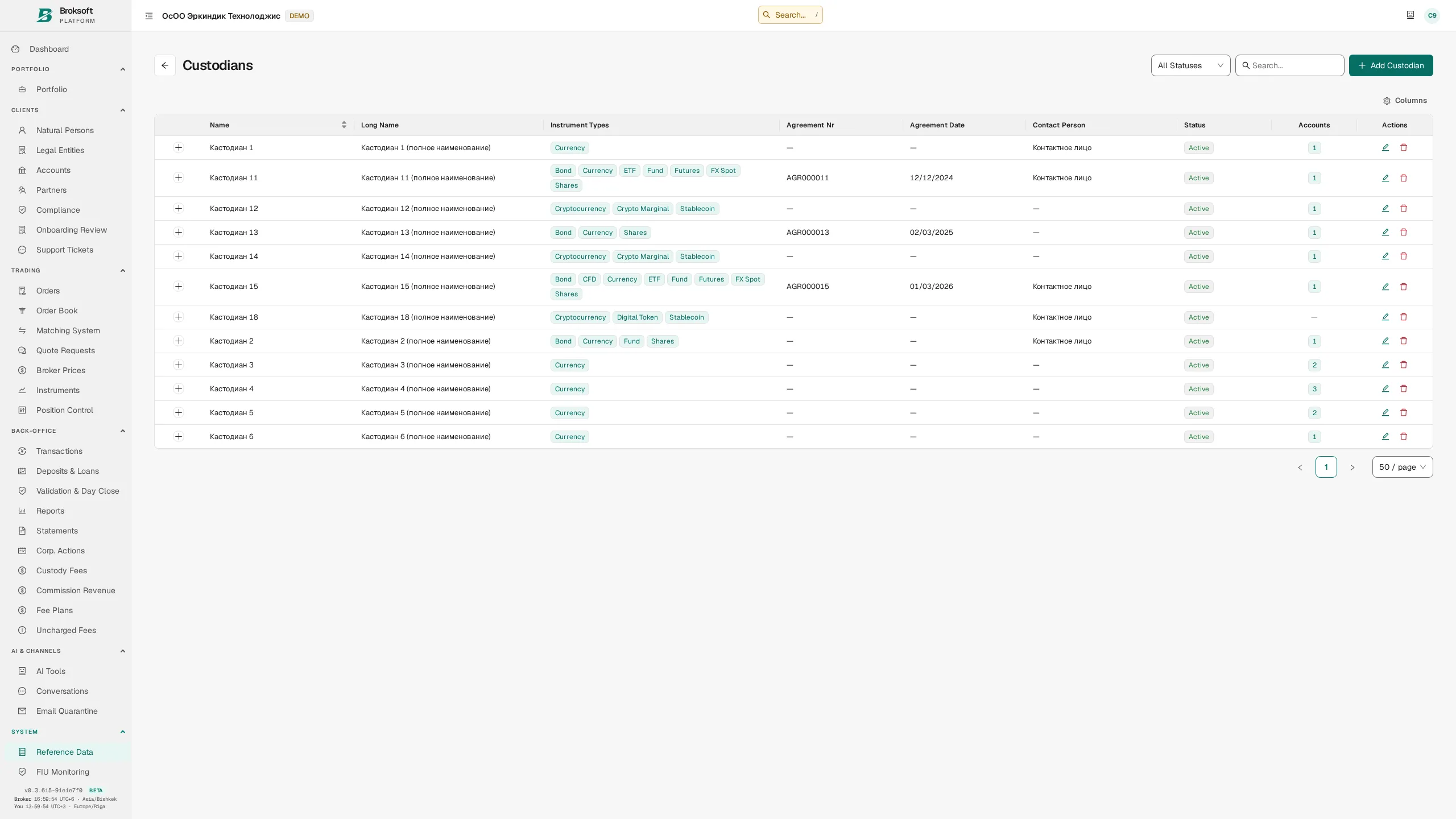
This is a custodian's core operational area: custodians, sub-accounts with upstream depositories and permitted safekeeping locations by instrument type. Custody fees are calculated using the actual safekeeping location. If securities move between depositories during the month, the accrual is apportioned to the relevant holding periods.
Settlement stages
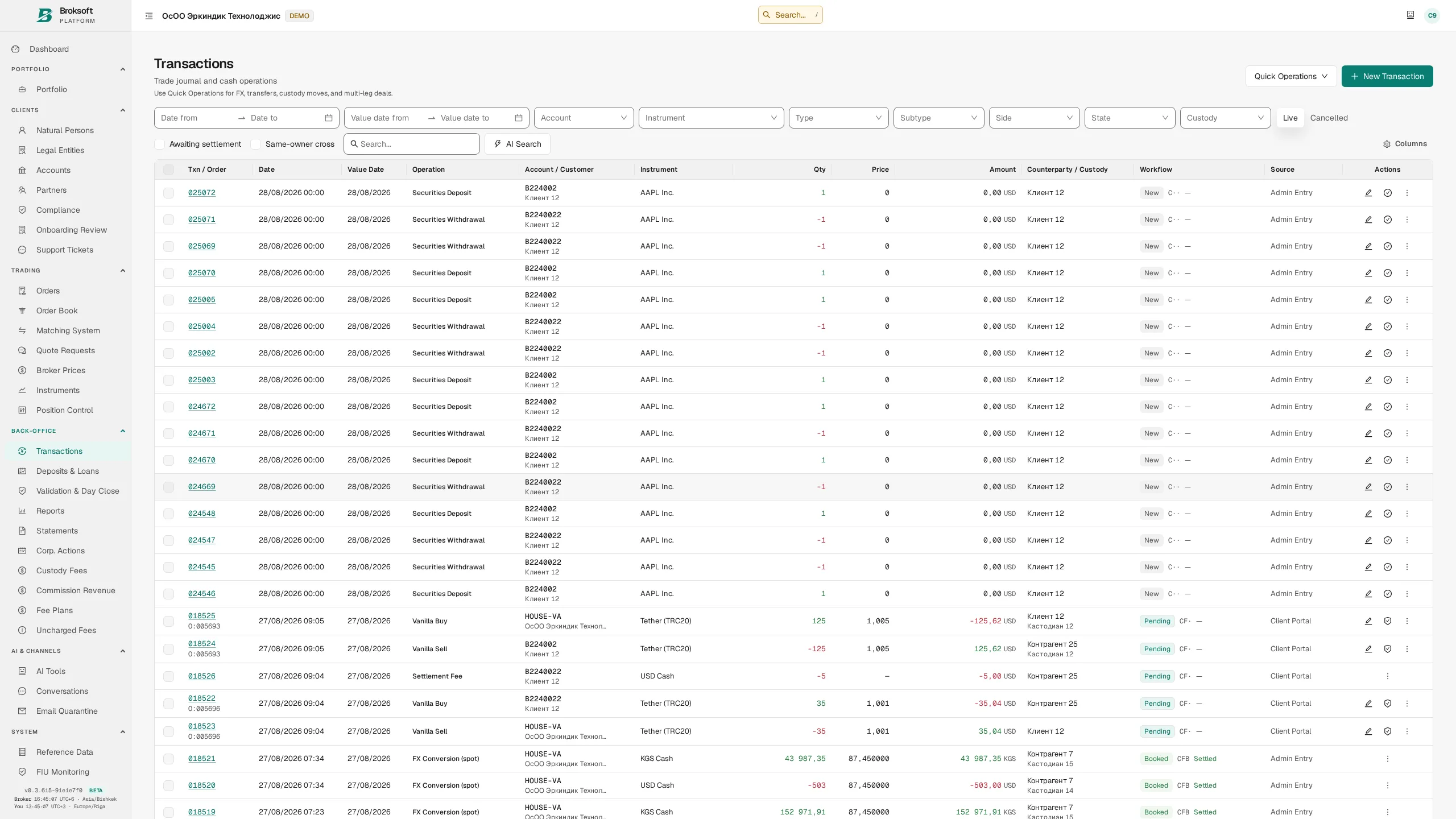
The system derives a trade's settlement stage from its value date and validation status: booked → awaiting settlement → settled. No separate manually maintained flag is required. The dashboard's “awaiting matching” and “awaiting settlement” indicators open the corresponding filtered lists.
Cash, securities and P&L accounting
The general ledger, positions and end-of-day close
Double-entry accounting
Posted transactions are reflected in balanced entries in the general ledger (GL). Each firm has its own chart of accounts. Journal entries are grouped by business event, and postings carry signed amounts and analytical dimensions: client, account, instrument, currency and custody location. General ledger records are immutable: where a transaction may be amended or cancelled, its ledger effect is corrected through a reversal entry that preserves the history.
- Trial balance and posting journal — separate reports for accounting oversight.
- Reconciliation — comparison of cash balances calculated in two independent ways, with any discrepancies displayed.
- Posting dates use the firm's time zone: a trade at 23:30 in Bishkek belongs to the corresponding day in Bishkek, regardless of the server's time zone.
Controls on reversing posted transactions
Reversing a posted transaction changes balances and requires a comparable level of control. Where posting requires independent approval, the same principle applies to reversal:
- Four-eyes control — where required by policy, the staff member who approved a transaction cannot reverse it alone. The same configurable policy applies as at posting, taking account of transaction type, amount and origin.
- Balance sufficiency — a reversal removes both the debit and the credit. If the currency received has already been spent, reversal may create a negative balance at the custody location. The system calculates the impact and rejects the action before making changes.
- Documented exceptions — an administrator can use the available override for these two checks only by providing a reason. An immutable record is retained alongside the reversal, identifying the staff member, time, amount and reason. It forms part of the accounting history and is unaffected by technical log rotation.
- Reversal of related records — the transaction's mirror entries in the house book, generated fees and pending refunds of those fees are cancelled with it. A related fee does not remain in place independently of the reversed trade.
Positions and lots
Positions are maintained as lots, showing the remaining quantity, blocked quantity and quantity available for delivery. The lot disposal method is set at account level: average cost by default, or FIFO. Sales determine realised P&L; the remaining position carries unrealised P&L.
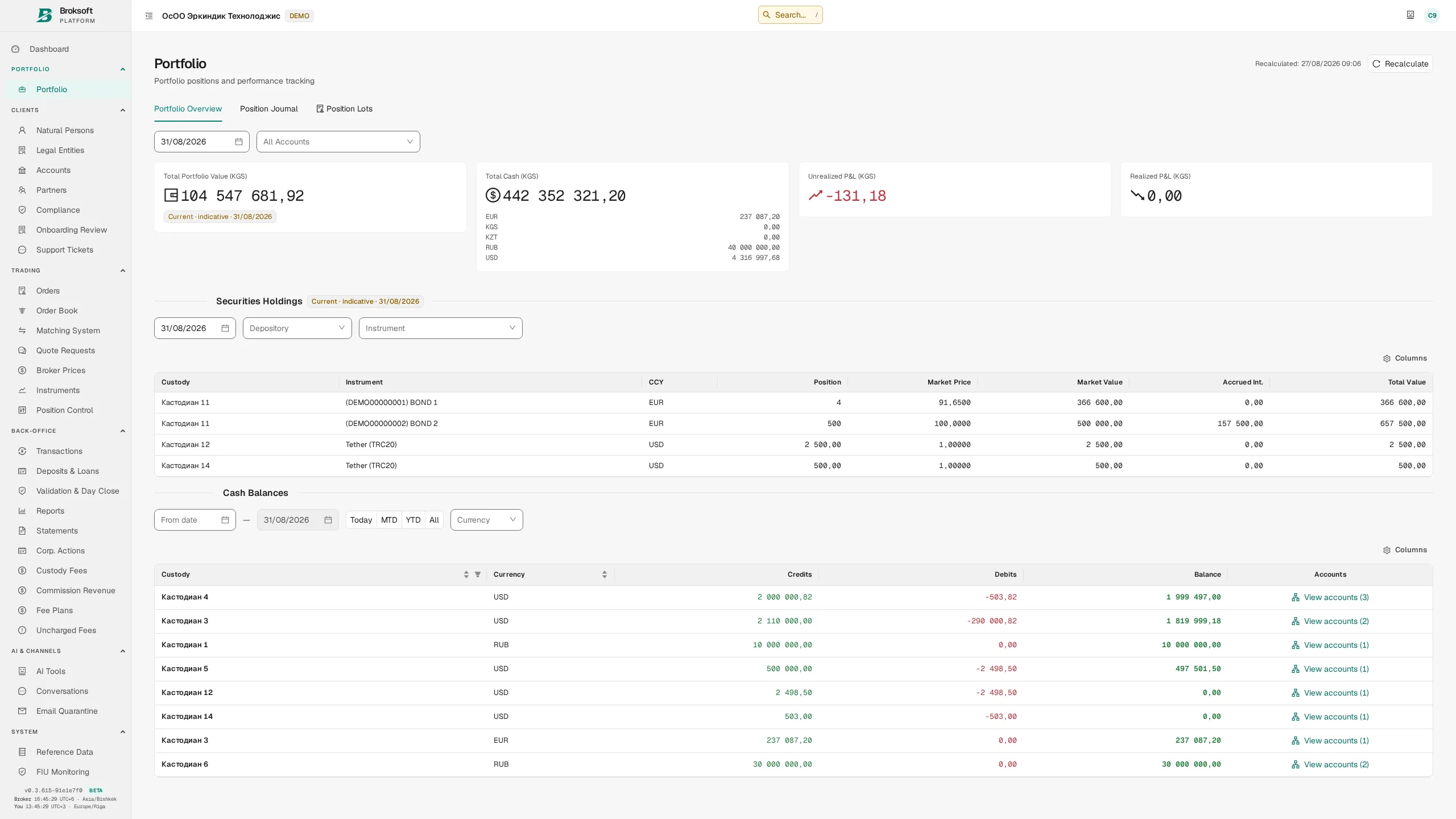
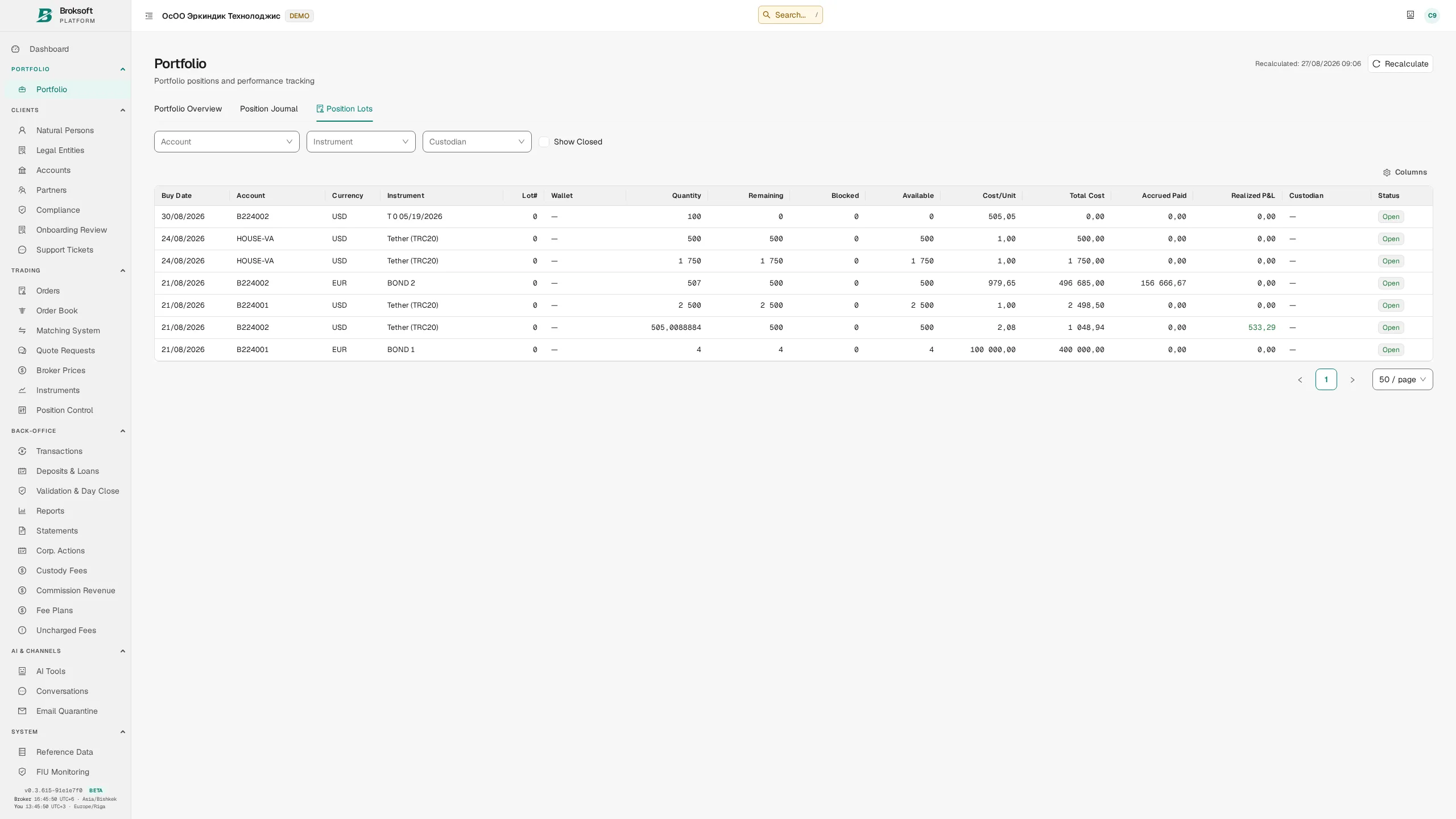
- Asset transfers do not generate realised P&L — an external receipt opens a lot with a recorded cost basis, and an outgoing transfer removes the assets at cost. The transfer itself is not treated as a sale.
- Position blocks — settlement reservations, pledges, regulatory restrictions and margin requirements have distinct reasons.
- Bond valuation — prices quoted as a percentage of par, the face-value multiplier and the instrument factor are applied consistently to trade amounts, cost bases and portfolio valuations.
- Accrued interest — calculated as at the settlement date and included in the value including accrued interest (the dirty value) and in the trade confirmation.
End-of-day close
End-of-day close records official positions, valuations, P&L and balances. The fact that a day has been closed is retained in a dedicated log; it is not inferred solely from the existence of a portfolio snapshot.
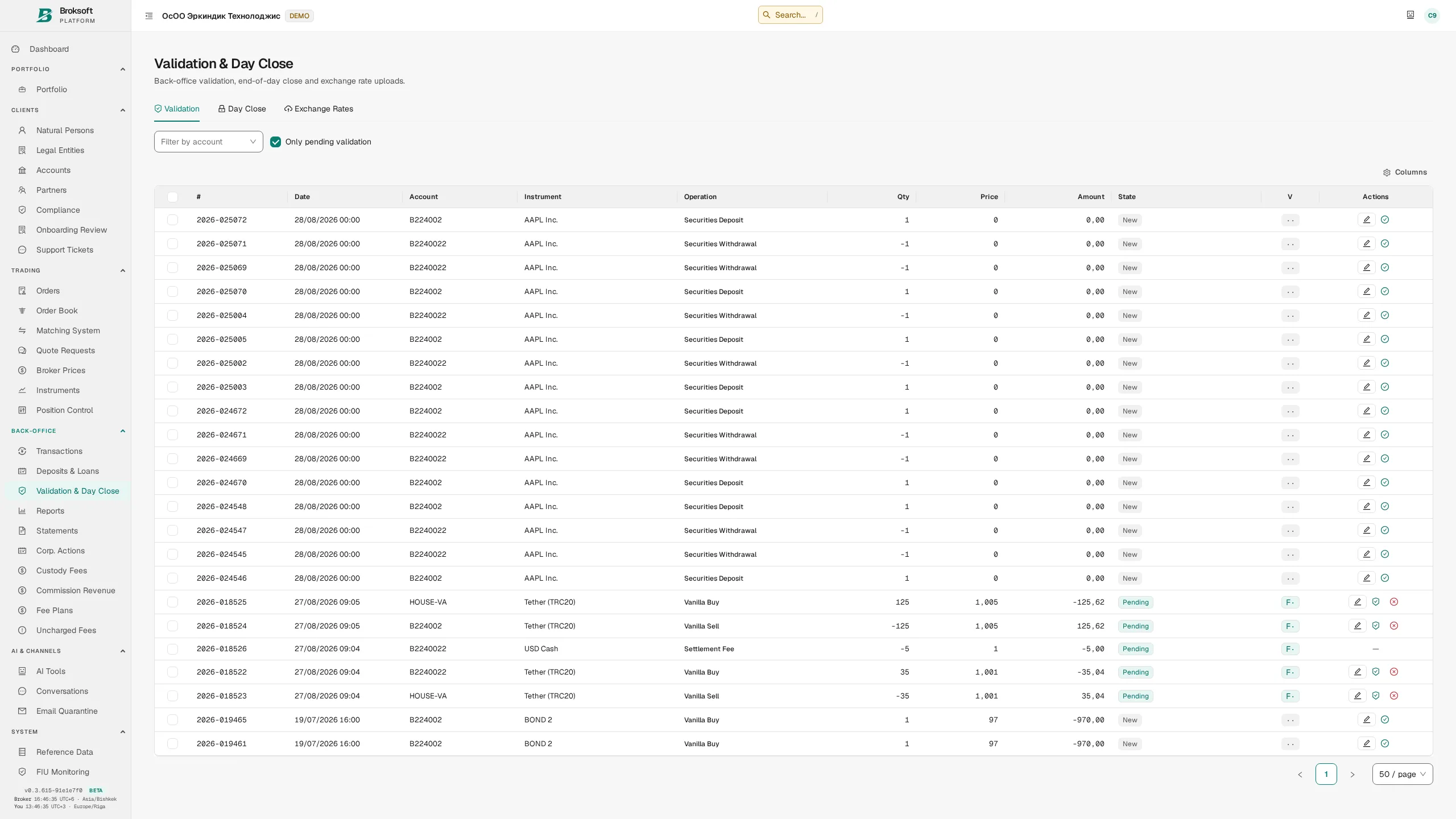
If a posted transaction is added, amended or cancelled with a backdated effect, the system shows that the affected closed days require recalculation. It identifies the range automatically: one day's closing balance becomes the next day's opening balance. A single run recalculates the entire affected period through the last closed day.
Multiple currencies
The platform supports any number of currencies and valuation in the firm's base currency as at a selected date. Rates come from a regulator, an exchange or manual entry. The applicable rate is selected using a source priority, so a manual entry does not replace a regulator's rate outside the established rules. Fees, custody fee schedules, independent transaction approval and reports all use the same exchange-rate selection mechanism.
Fees and fee plans
Accrual rules, client terms and fee revenue
Fee plans
A fee plan is assigned to a client or an individual account with an effective start date. Changes are versioned: a new rate closes the current version and opens the next. Previously accrued fees retain the rate that applied on the transaction date. The plan record includes a history of changes, identifying the author, time and revised terms.
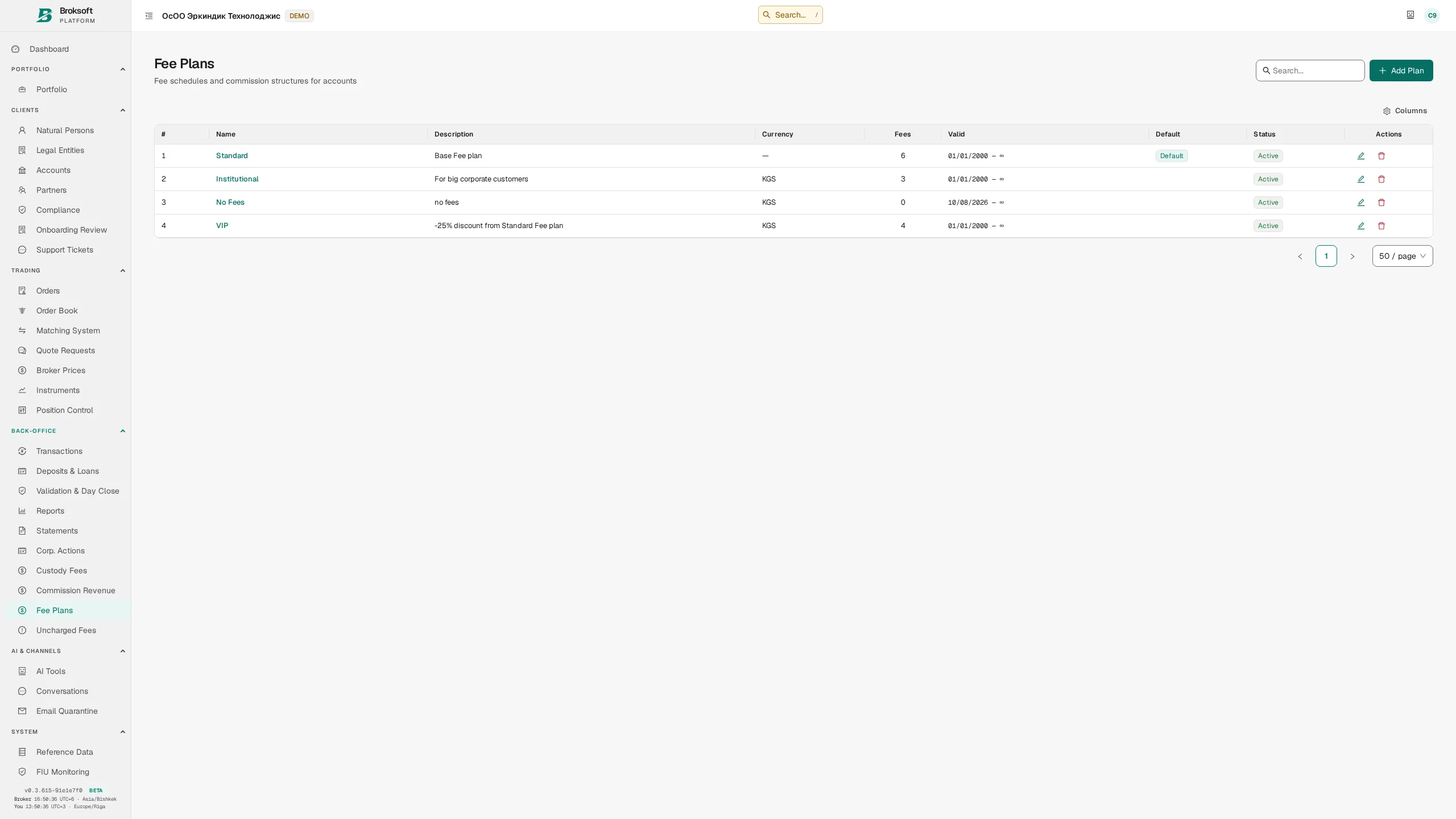
Rate rules can take account of the account, instrument type, market, asset class, exchange-traded or over-the-counter execution, trade side, currency, client type and residency, value range and custody location. If several rules match, the system applies an explicit priority order: a more specific condition is selected according to the defined precedence of the criteria.
- Calculation methods — percentage, flat amount, per-unit rate and a tiered schedule based on volume or portfolio value.
- Minimum and maximum — per-transaction fee limits, each with a specified currency.
- “Not offered” and “by agreement” — distinct fee schedule terms that are not represented as a zero rate.
- Periodic fees — custody, management and account maintenance fees. Accrual follows the configured method, including daily accrual on actual balances; collection follows the billing period schedule.
- VAT — rules have non-overlapping effective periods. The rate applied is retained on the transaction and does not change retrospectively.
Fee matrix
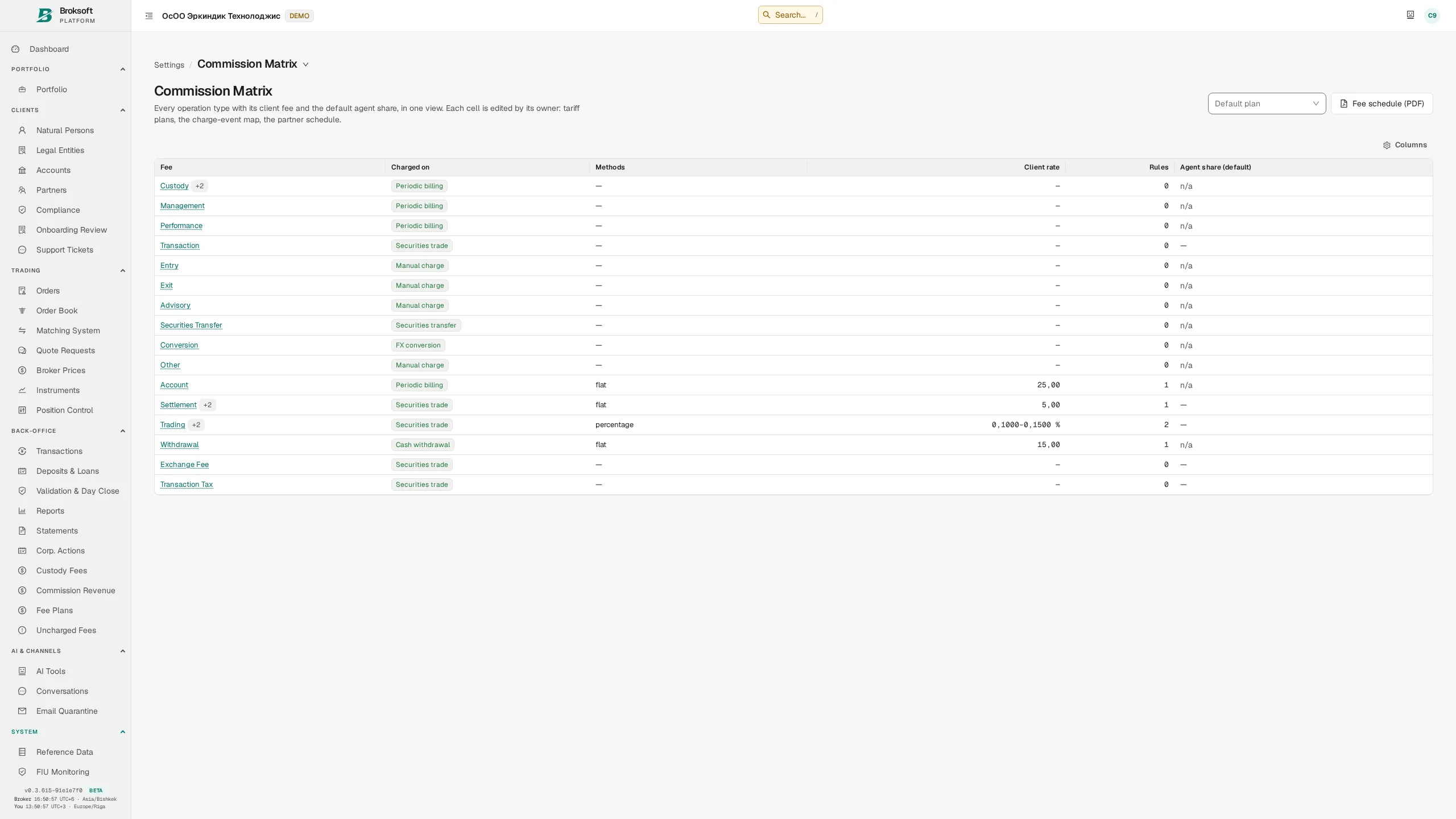
For each fee type, the matrix shows the calculation basis and methods, the range of client rates, the number of rules and the agent's remuneration share. Each row opens the details: rules for that fee type across all plans, in the order in which the system applies them. This makes the precedence of the terms visible.
Client fee schedules
A dedicated tab in the client record shows the fee plan applicable to each account and the base rate for each fee type, as determined by the fee calculation engine. An account without an assigned plan is explicitly marked “no fee plan assigned”.
Exceptions and adjustments
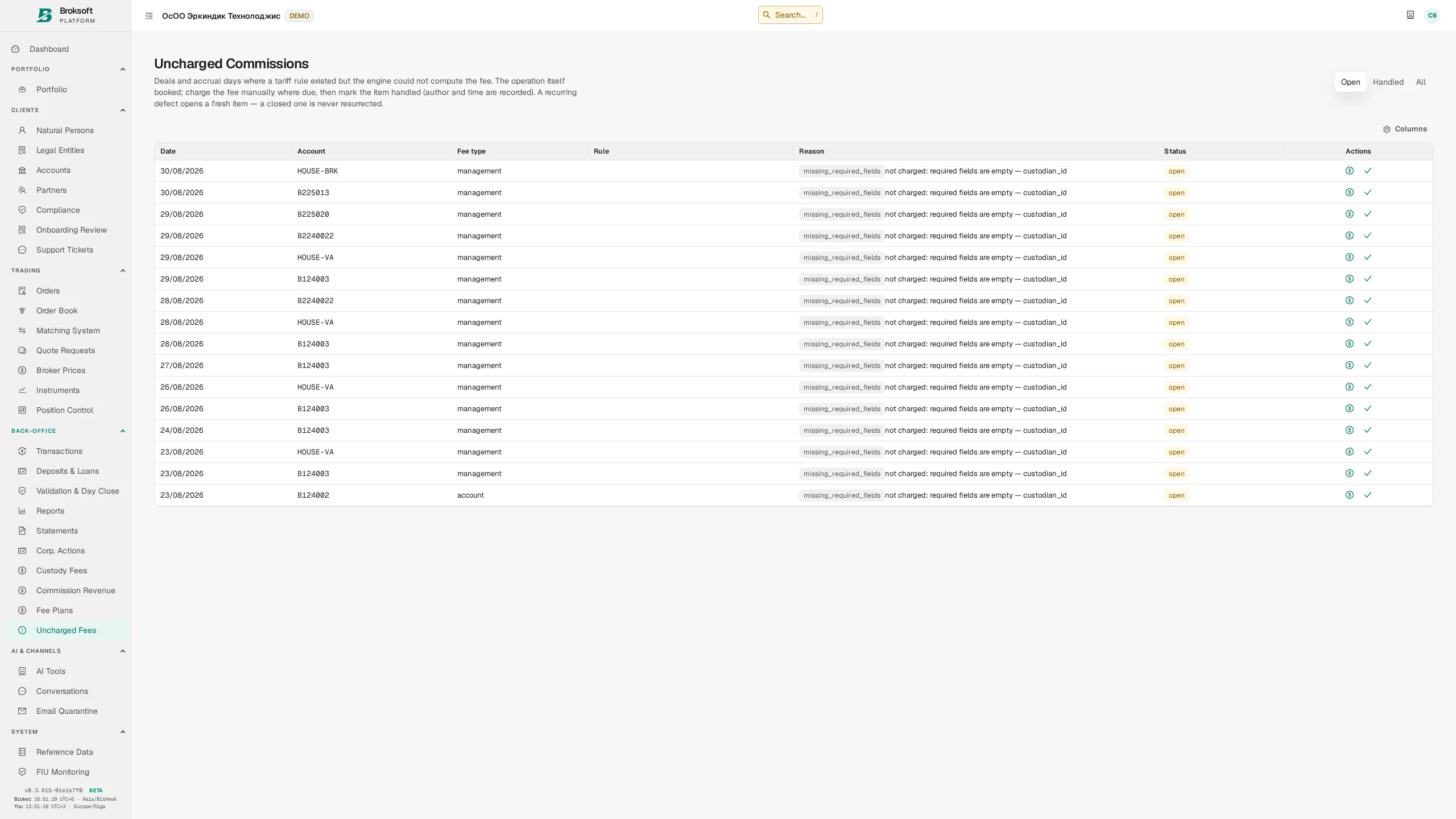
Individual discounts, one-off fee waivers and manual corrections of erroneous fee debits require a reason and an author, and are retained in the audit trail. A fee remains linked to its originating transaction: a permitted trade amendment triggers recalculation of the related fees.
Revenue
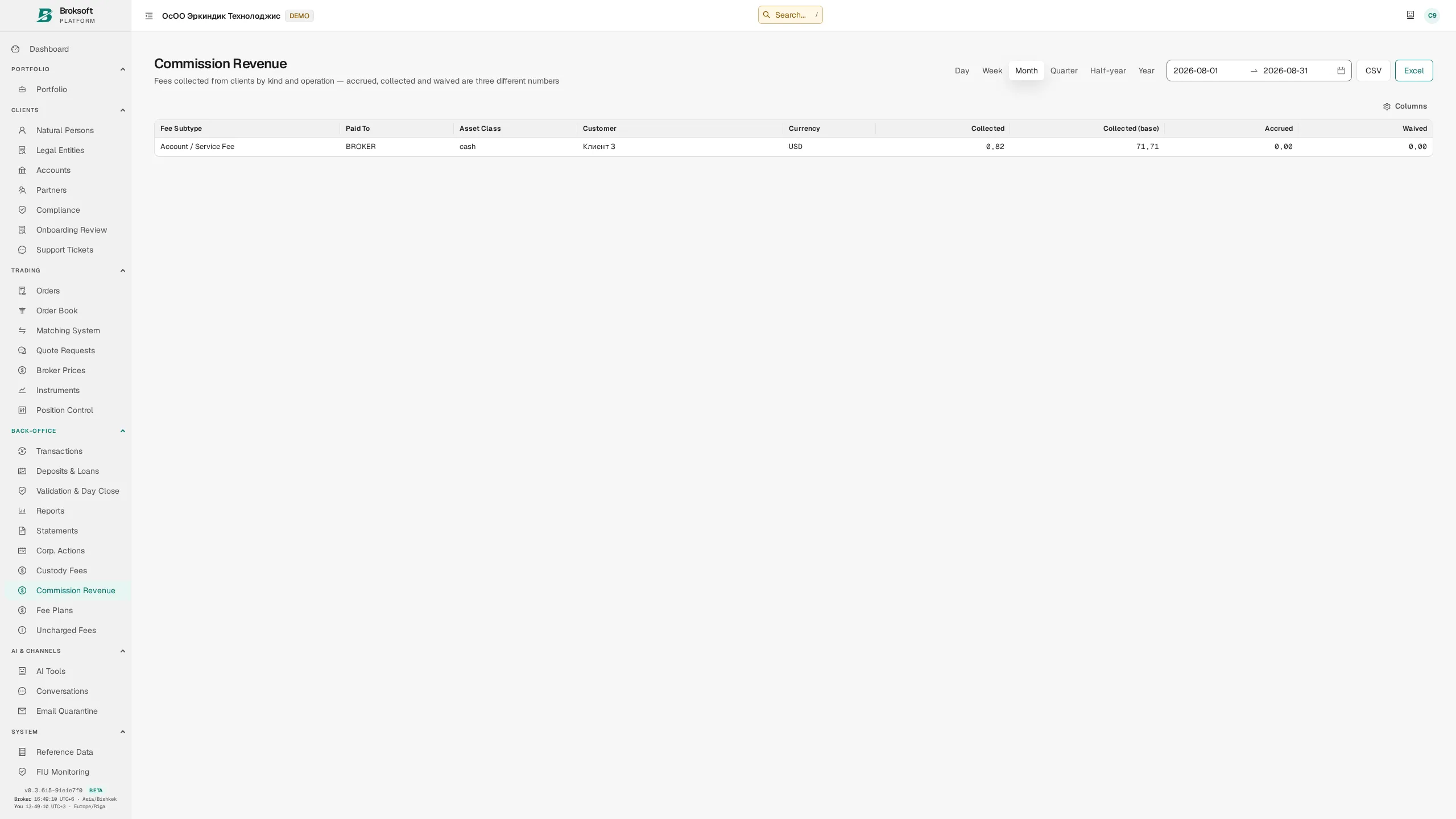
Fee revenue can be reported by period, client, fee type and currency, with export available. Receivables are tracked separately, showing the amount owed by the client, the age of the debt and its distribution across overdue ageing buckets.
Partner programme
Client acquisition, partner remuneration and payout controls
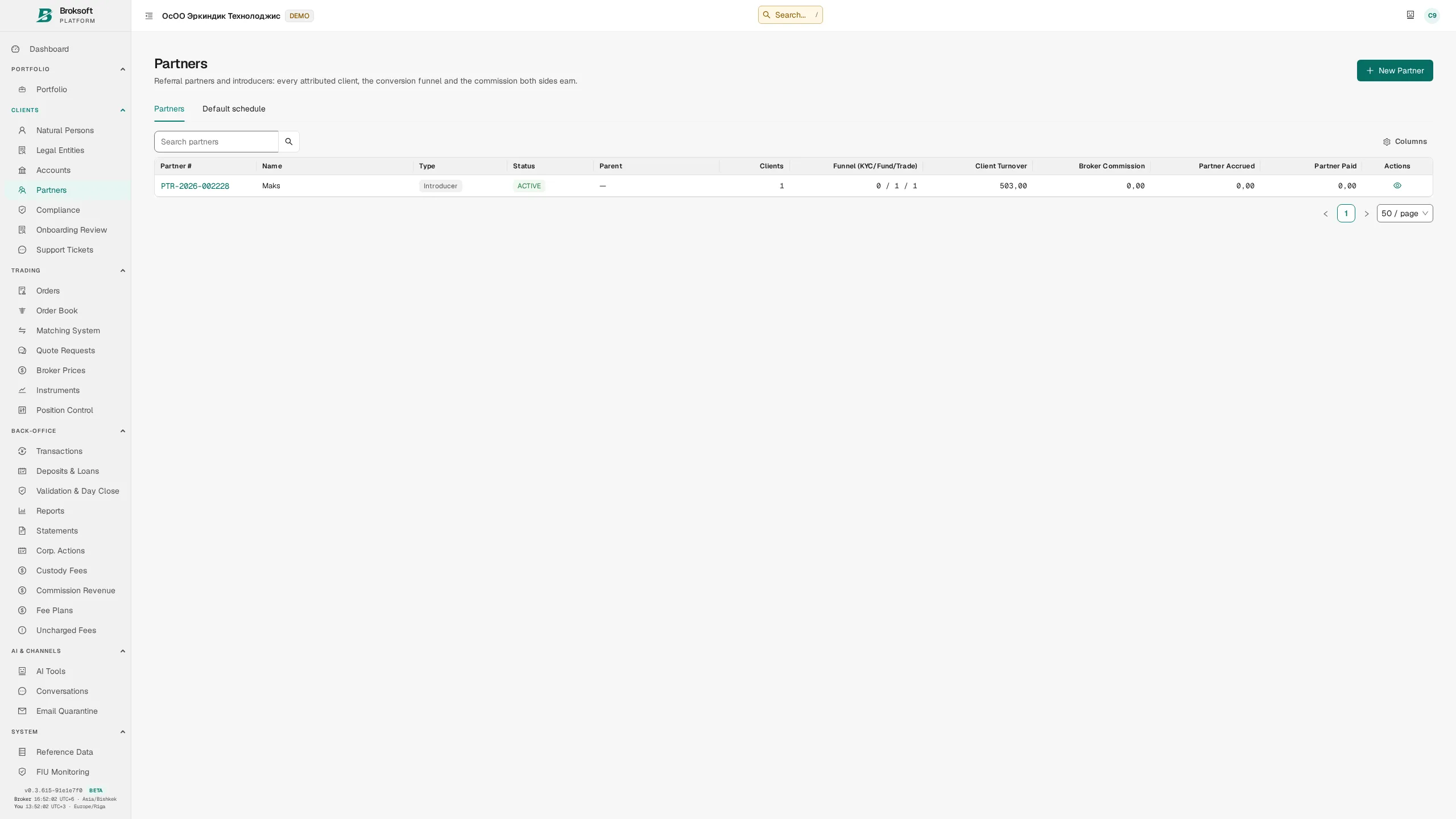
The module manages agents, a multi-level partner network, agreements and remuneration. Clients are linked to partners through a referral link or QR code, manually or by a bulk assignment. First-touch attribution applies: an existing assignment is not automatically replaced when the client later follows another referral link.
Calculating remuneration
- Percentage-based remuneration — a share of the brokerage firm's fee revenue (revenue share) or a percentage of trade turnover, depending on the selected calculation basis.
- Client acquisition remuneration (CPA) — a one-off accrual for a new client on their first trade; funding the account alone does not trigger the accrual.
- Fixed remuneration per trade — a set amount for each trade that meets the agreement's conditions.
- Rate hierarchy — the firm's default schedule, agreement terms and an individual client rate. The applicable rule follows the defined priority of the criteria.
Payout controls
- Compliance approval — an agreement's rate does not apply until the agreement is approved. Amending an approved agreement creates a new version; the previous version remains in force until the new one is approved.
- Recovery of remuneration (clawback) — trade cancellation or reversal automatically creates an amount owed by the partner, which is offset against the next payout. An unrecovered amount can be written off only through a separate decision with a stated reason.
- Payout cycle — accruals are assembled into a batch, checked against the minimum payout threshold and approved before payment. Accrued, withheld and paid amounts are recorded separately.
- Remuneration disclosure — when enabled, clients can see information about partner remuneration on their transactions. This supports disclosure of payments to third parties (inducements).
Omnibus accounts and sub-accounts
Separate records for the intermediary’s clients
An omnibus account is a nominee account held by an intermediary, with sub-accounts for its clients. Assets are recorded in aggregate at the main account level; within the platform, positions, cash and transaction history are maintained separately for each of the intermediary’s clients.
- Permission to operate sub-accounts is granted by the brokerage firm for a specific account held by a legal entity. The intermediary cannot designate an account as omnibus on its own.
- One-to-many allocations (1→N) — a single trade on the omnibus account is allocated across sub-accounts, retaining the trade price and accounting for fees.
- Separate access — each of the intermediary’s clients signs in with their own credentials and sees only their sub-account; the intermediary can access all sub-accounts under its management.
- Sub-account statements — transactions and balances, with separate disclosure of the intermediary’s fees.
- Asset segregation — rules for keeping client assets separate from the intermediary’s own funds are enforced at database level.
Intermediary fees
The intermediary sets its own fee schedule for its clients. Fees use the same calculation engine as the brokerage firm’s fees and apply within the relevant omnibus account. A new schedule version takes effect after approval by the brokerage firm. A charge is recorded as an internal transfer from the client’s sub-account to the intermediary’s own portion of the omnibus account; the aggregate omnibus balance is unchanged. The brokerage firm sets fee caps as a percentage of transaction value and as a maximum multiple of its own fee.
Client portal
Portfolio, instructions and documents in one interface
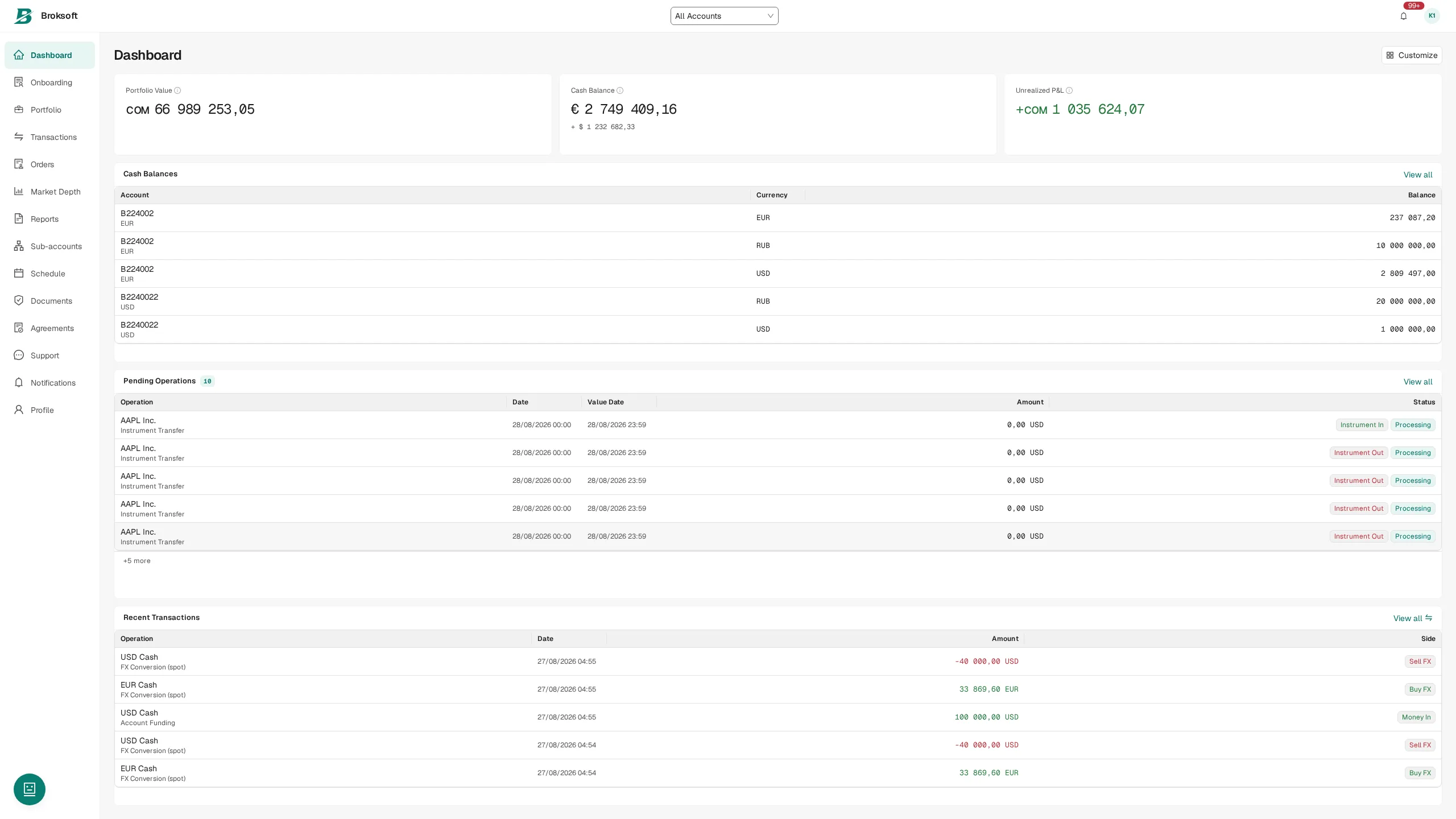
The portal uses the same accounting records as the back office and shows the client the current state of their portfolio. Its responsive interface supports viewing positions and using the portal in a mobile browser.
Client features
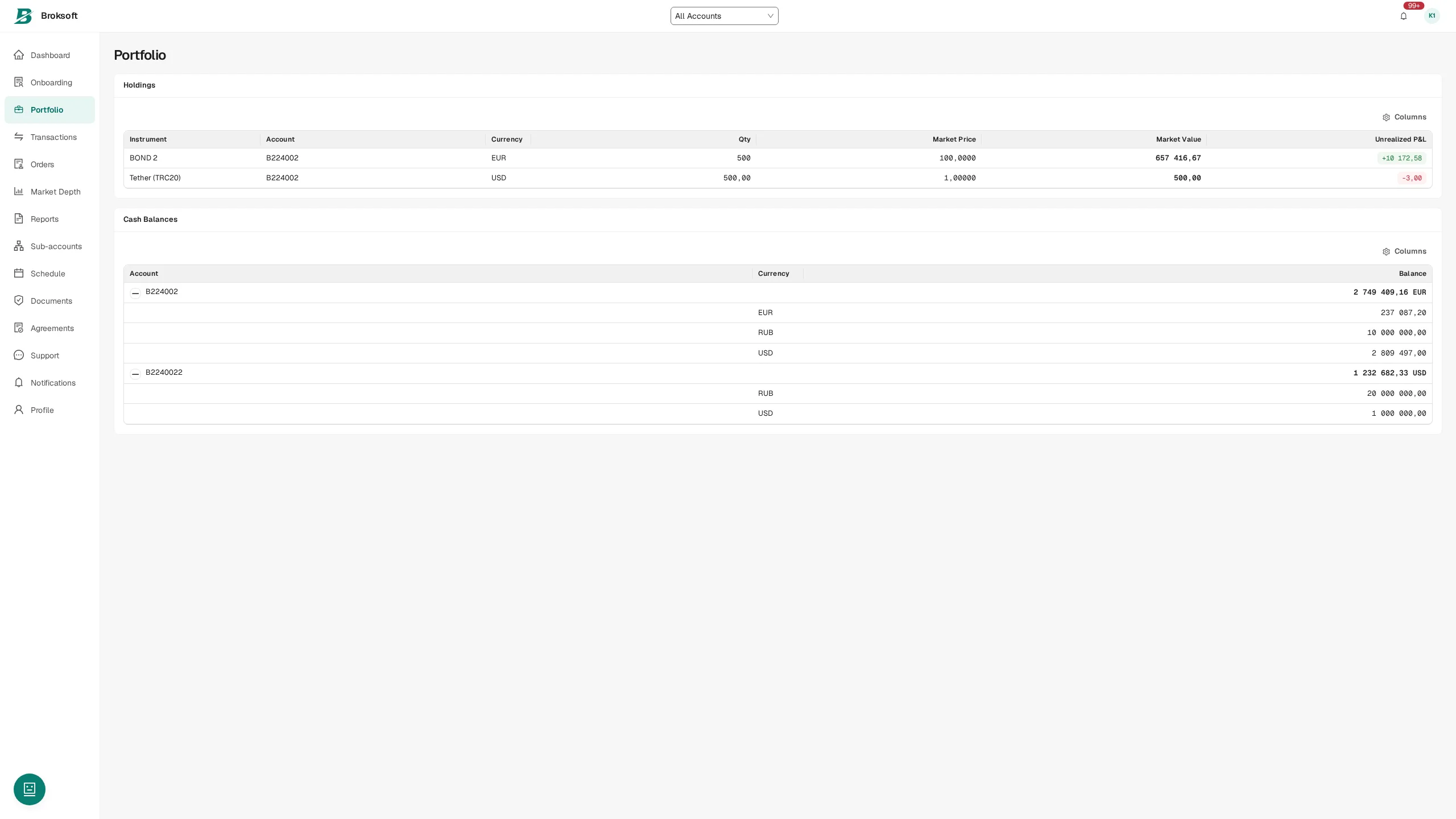
- Portfolio — positions with current valuations, cost basis and unrealised P&L; cash balances by currency. Bond valuations include accrued interest.
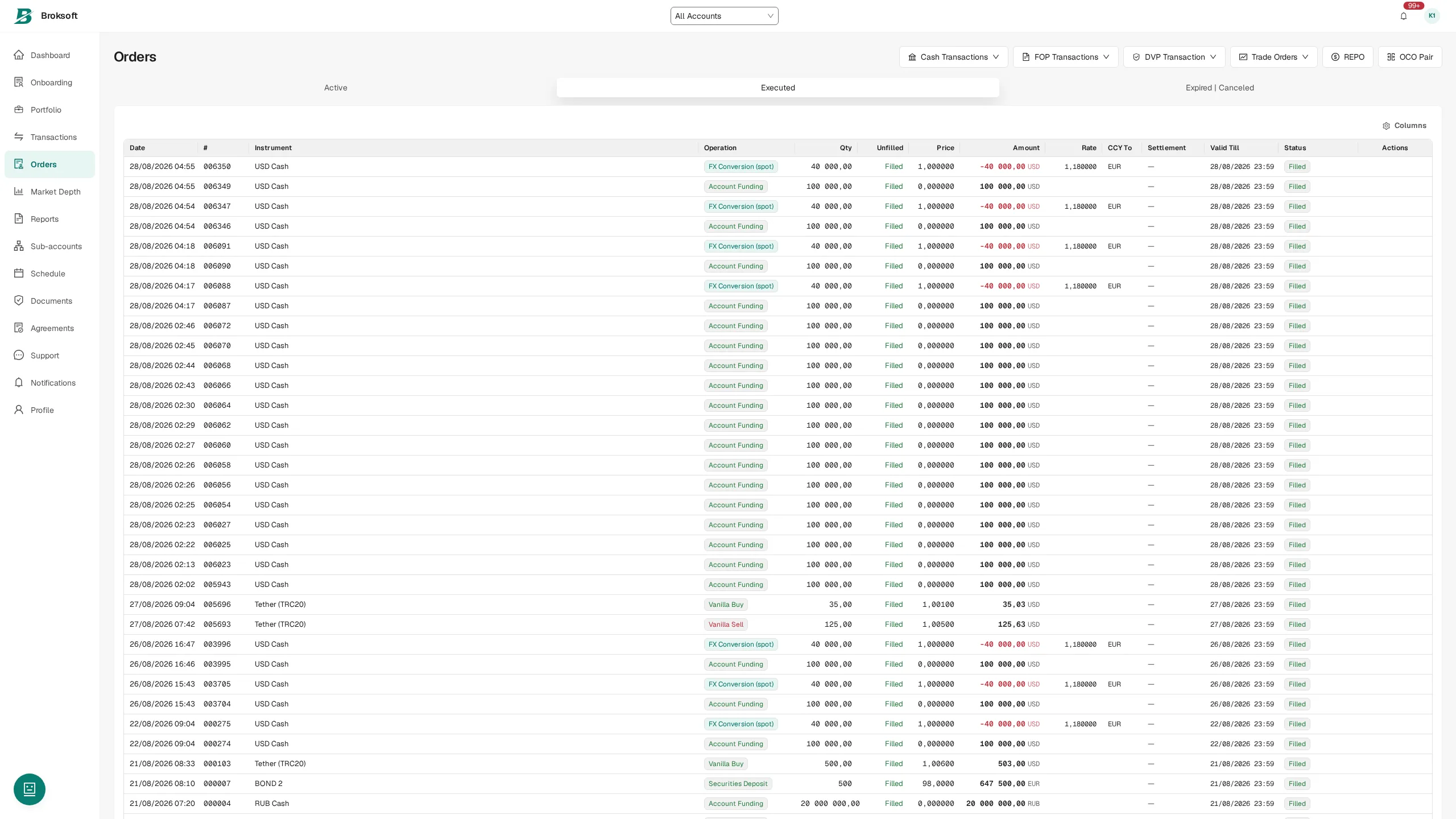
- Orders — a unified list of trading and cash instructions, including the client’s own settlement instructions, grouped as active, executed and closed.
- Transactions — a history of trades and movements with a description of each transaction.
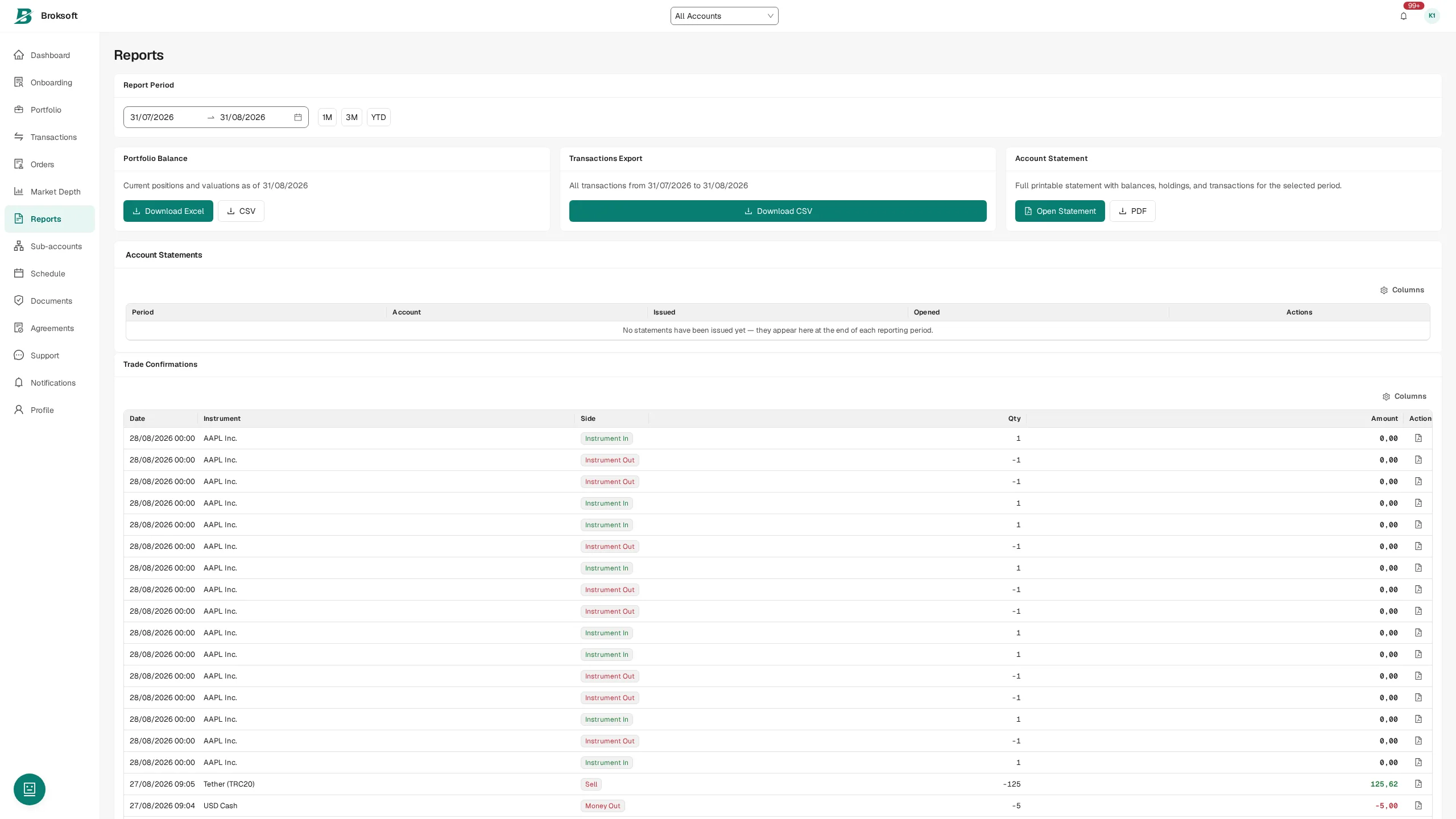
- Reports — account statements, trade confirmations and portfolio reports. PDF, CSV and Excel are available depending on the document.
- Documents — agreements with a record of the version signed; an unsigned mandatory document blocks order submission.
- KYC — questionnaire, documents, review status and expiry reminders.
- Notifications — account events in real time.
Client cash operations
Clients can submit instructions to deposit or withdraw funds, convert currencies, place funds on term deposit and transfer funds between their own accounts. The withdrawal form shows the available balance in the selected currency. If balance data has not yet been received, a dash is displayed: unavailable data is not presented as a zero balance.
Cryptocurrencies and digital assets
Unified accounting with blockchain network and wallet support
This section is primarily intended for virtual asset service providers (VASPs). It covers cryptoasset accounting, wallet management and controls over the trading model.
Cryptocurrencies are maintained in the common instrument catalogue and unified accounting system. They use double-entry accounting, lot accounting, fee calculation and reporting. Digital assets can therefore be accounted for alongside other asset classes.
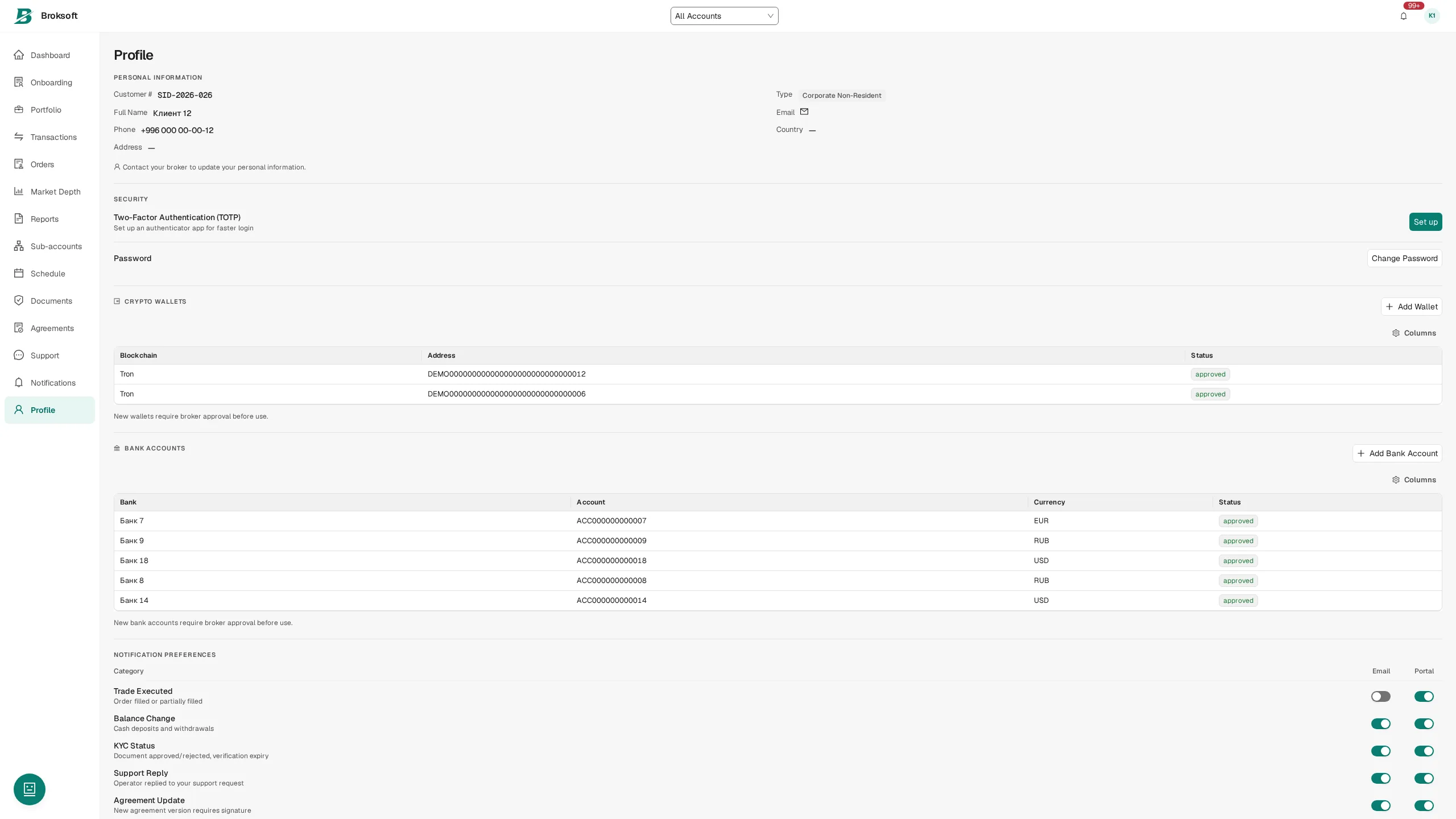
- Client wallets — an address register with the network, type and approval status. A previously rejected address may be resubmitted for review; an address assigned to another client cannot be registered.
- Deposits and withdrawals — client instructions, address checks, approval by the firm, and records of the network and transaction confirmations.
- Precision — quantities are recorded with up to eight decimal places. Display precision is configured for the instrument and inherited from its type by default.
- Trading model — in principal mode, the firm is the counterparty to the client’s trade, and direct crossing of client crypto orders is blocked. Exchange mode supports matching client orders with one another.
- Valuation — quotes from configured sources, with checks on their freshness.
Compliance: KYC, AML and regulatory oversight
Client checks, transaction monitoring and documented decisions
Client onboarding and KYC
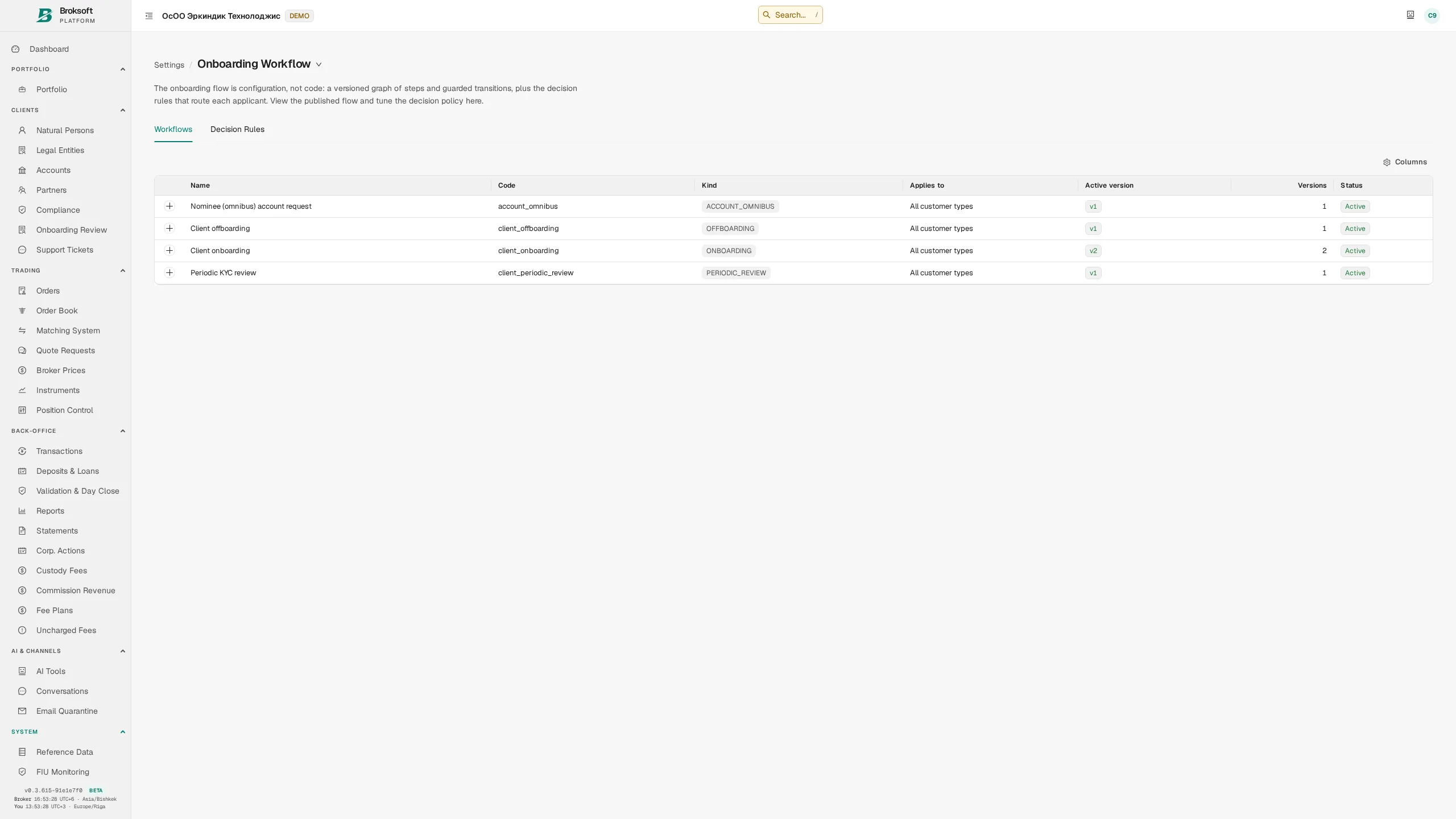
Client onboarding is organised into stages with assigned staff and deadlines: questionnaire, document collection, identity verification, client categorisation, signing of mandatory agreements and account opening. The brokerage firm configures the stages and mandatory fields to reflect its jurisdiction and internal customer due diligence procedures.
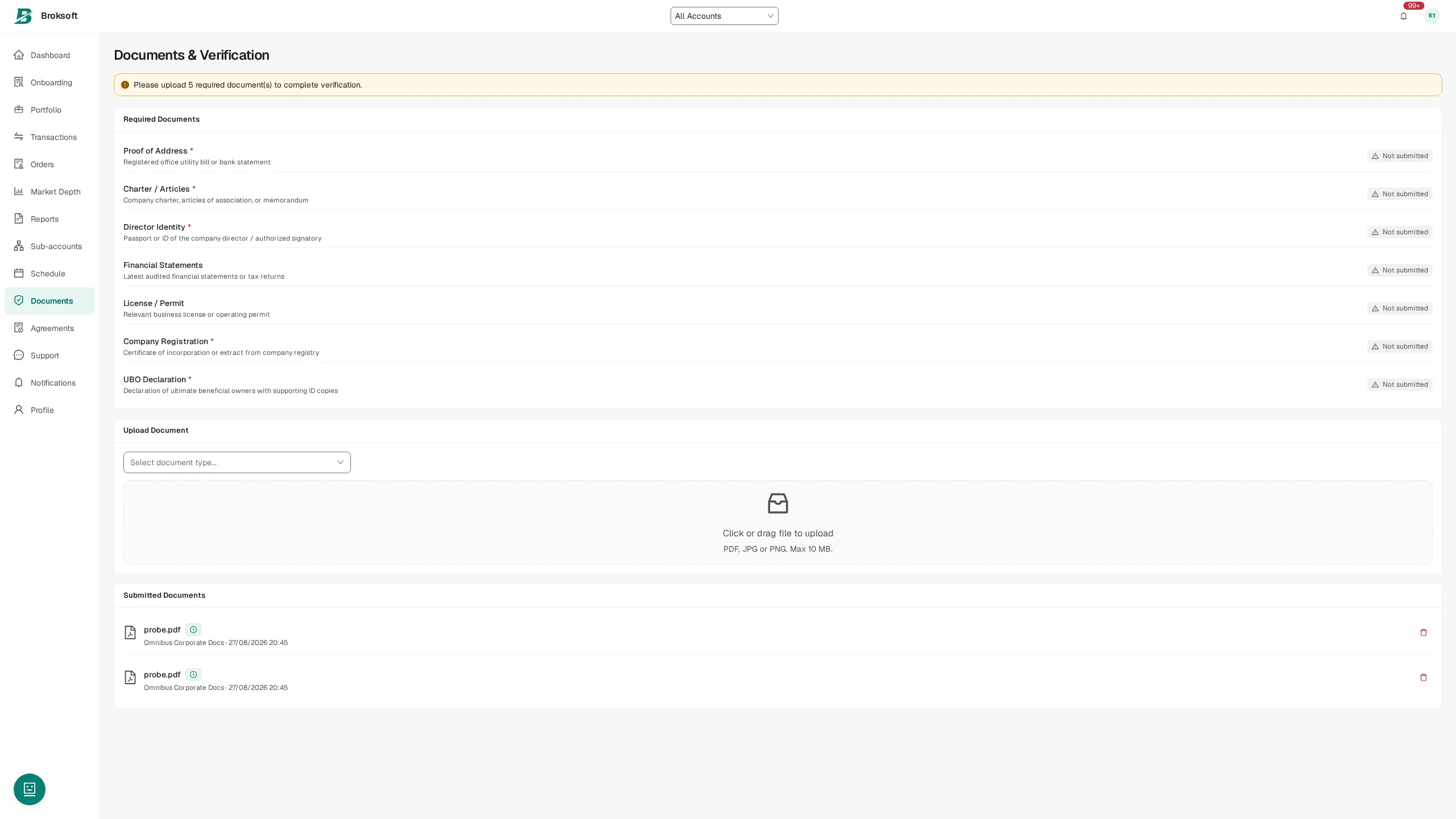
- Risk profile — assessment against defined criteria, the next review date and automatic reminders 30, 14 and 7 days before the current review expires.
- Documents — storage, validity dates and monitoring of expired documents.
- Screening — checks against sanctions and internal watchlists, with handling of potential matches.
- Periodic review — automatic creation of review cases and tracking of their status.
Monitoring and FIU reporting
Monitoring rules are configured using thresholds, behavioural indicators and combinations of transactions. A rule match creates an alert for review. The review leads to a case and, where warranted, a report to the financial intelligence unit (FIU), supported by transactions, documents and the history of decisions.
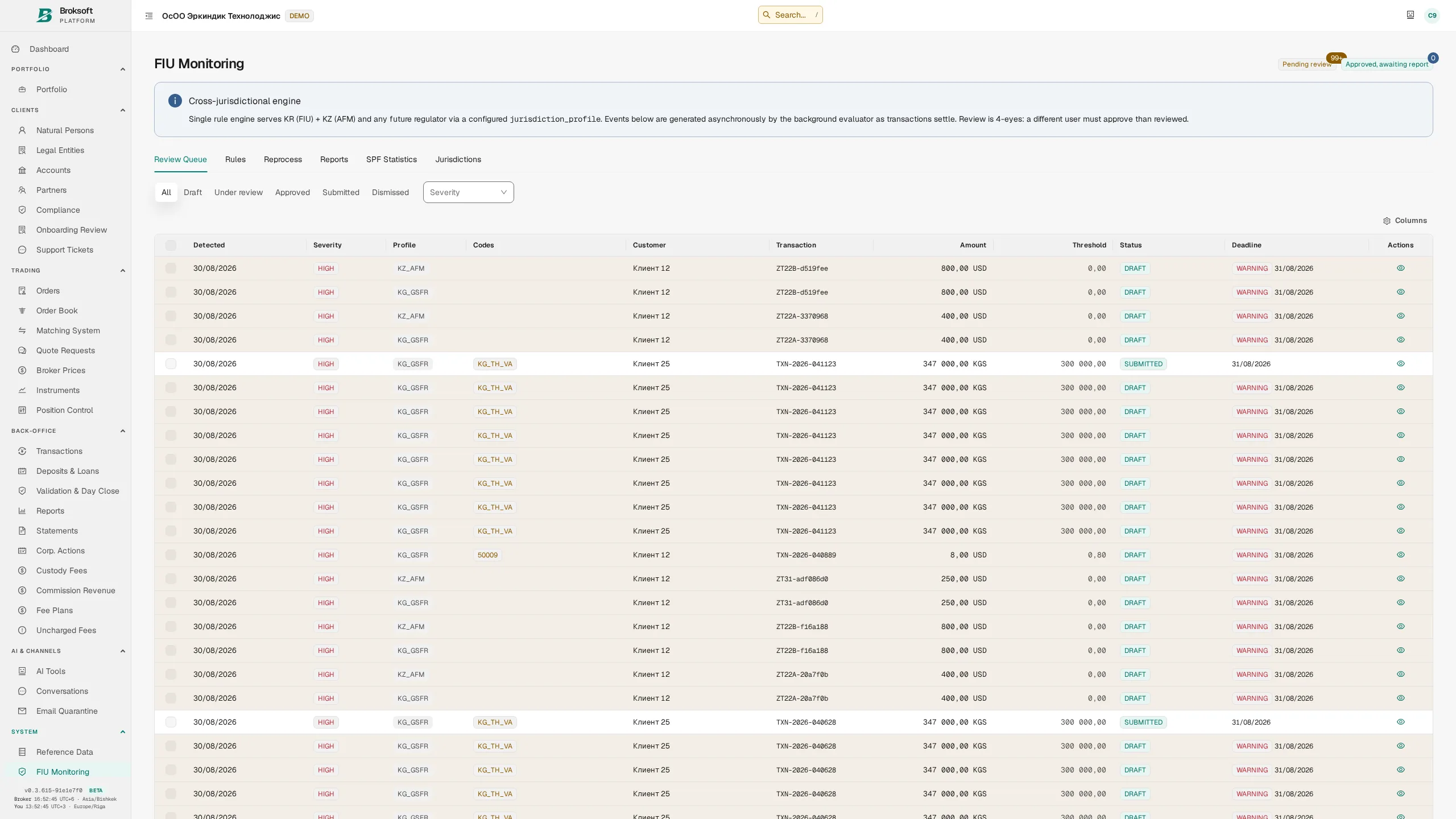
Reports are prepared using the configured schemas for the relevant authority. The preparer and generation time are recorded with the document; IP addresses use standard notation in the log. Integration with legally recognised electronic signatures and a production submission gateway is arranged separately for each jurisdiction.
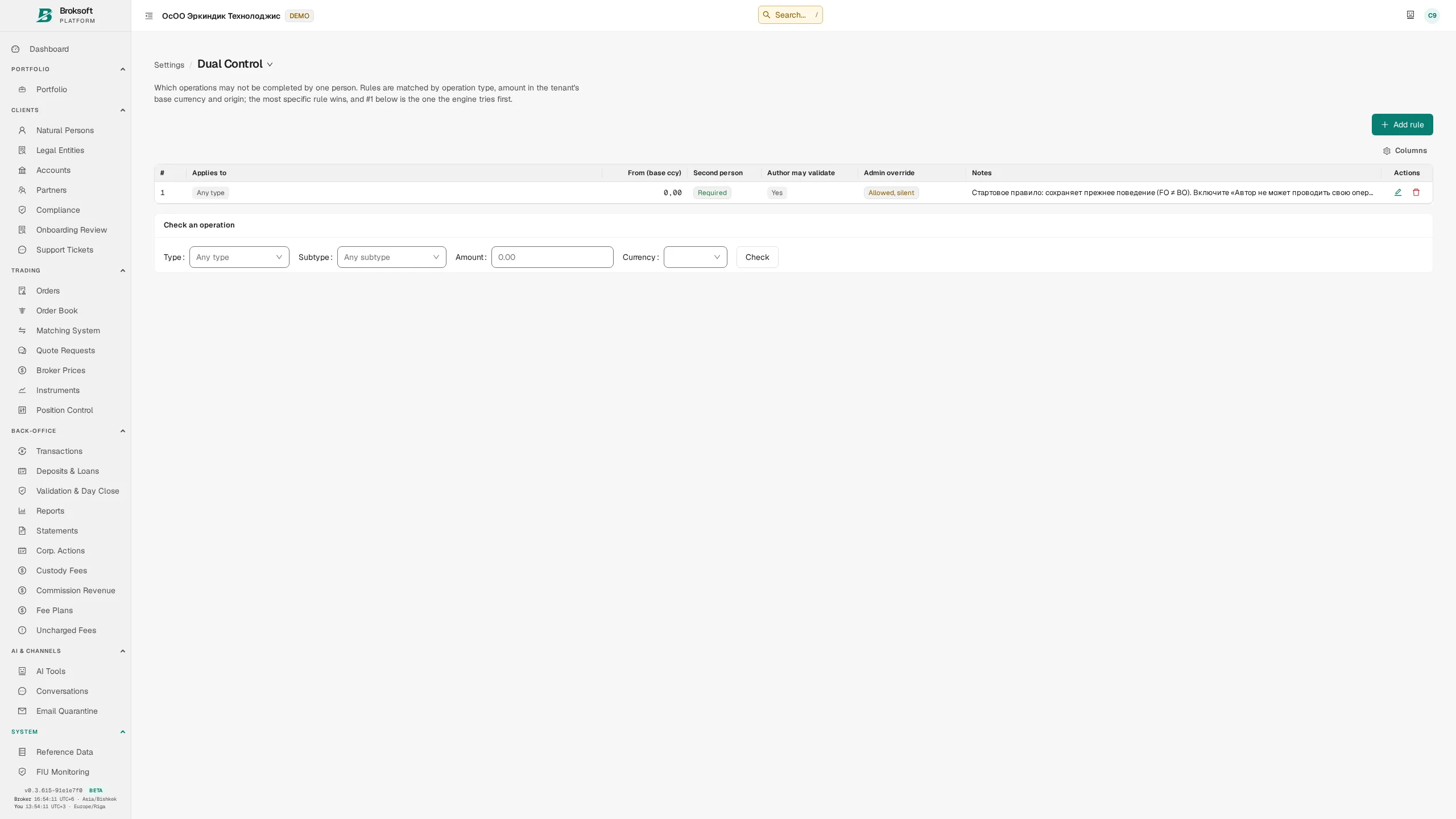
Four-eyes control and segregation of duties
Four-eyes control rules are configured by transaction type, subtype, amount and source. Where the applicable rule requires segregation of duties, the person who created the transaction and the approver must be different staff members; the rule also determines whether an administrative override is permitted. Amounts are converted into the base currency at the official exchange rate before comparison with the threshold, applying the same criterion across currencies.
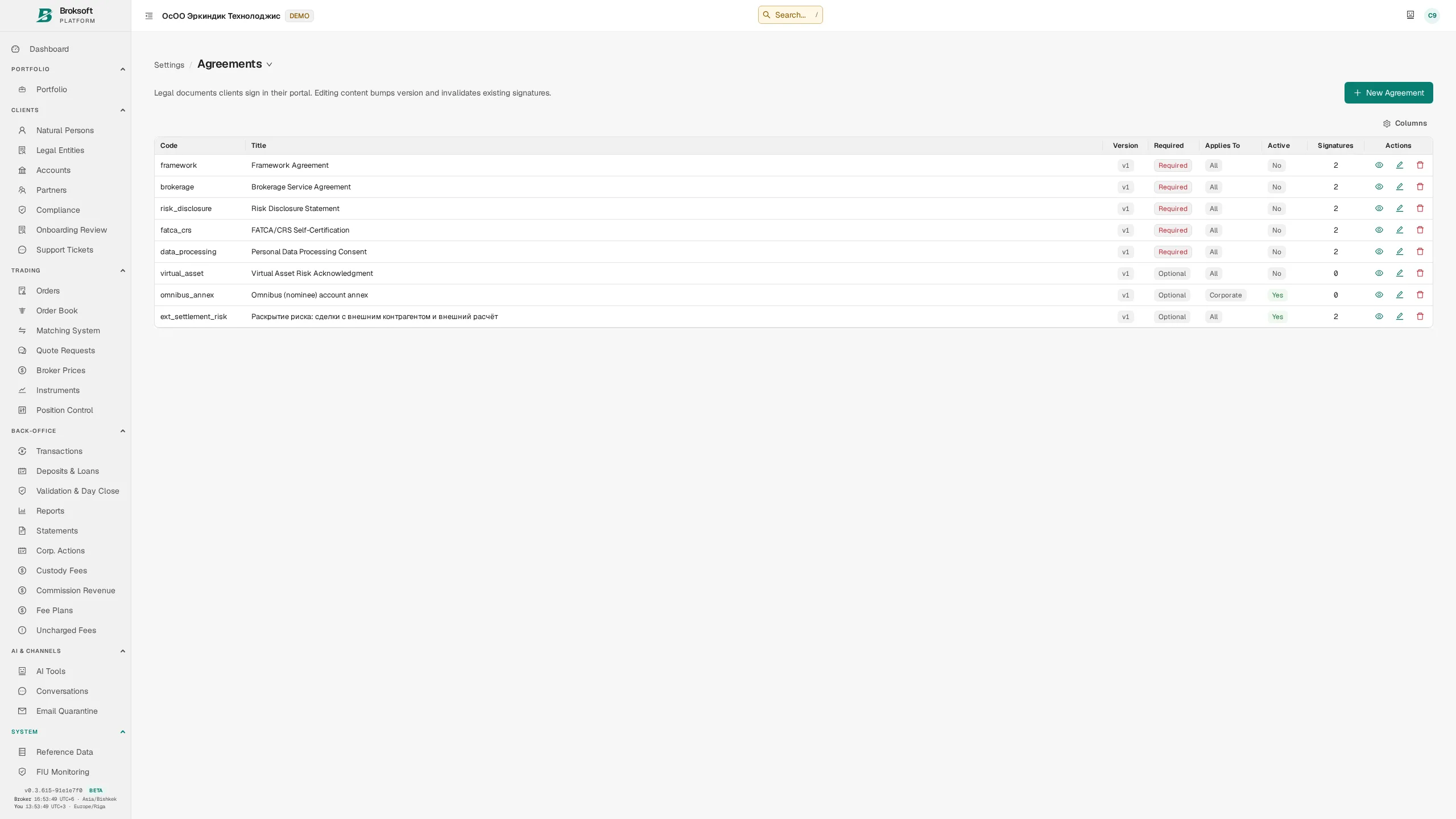
Client agreements
The system stores mandatory documents and their versions, which clients sign in the portal. Order submission is blocked until the current version of each mandatory document has been signed. An authorised staff member may override this restriction only with an explicit justification, which is recorded in the log. If signing status cannot be verified, the operation is not permitted.
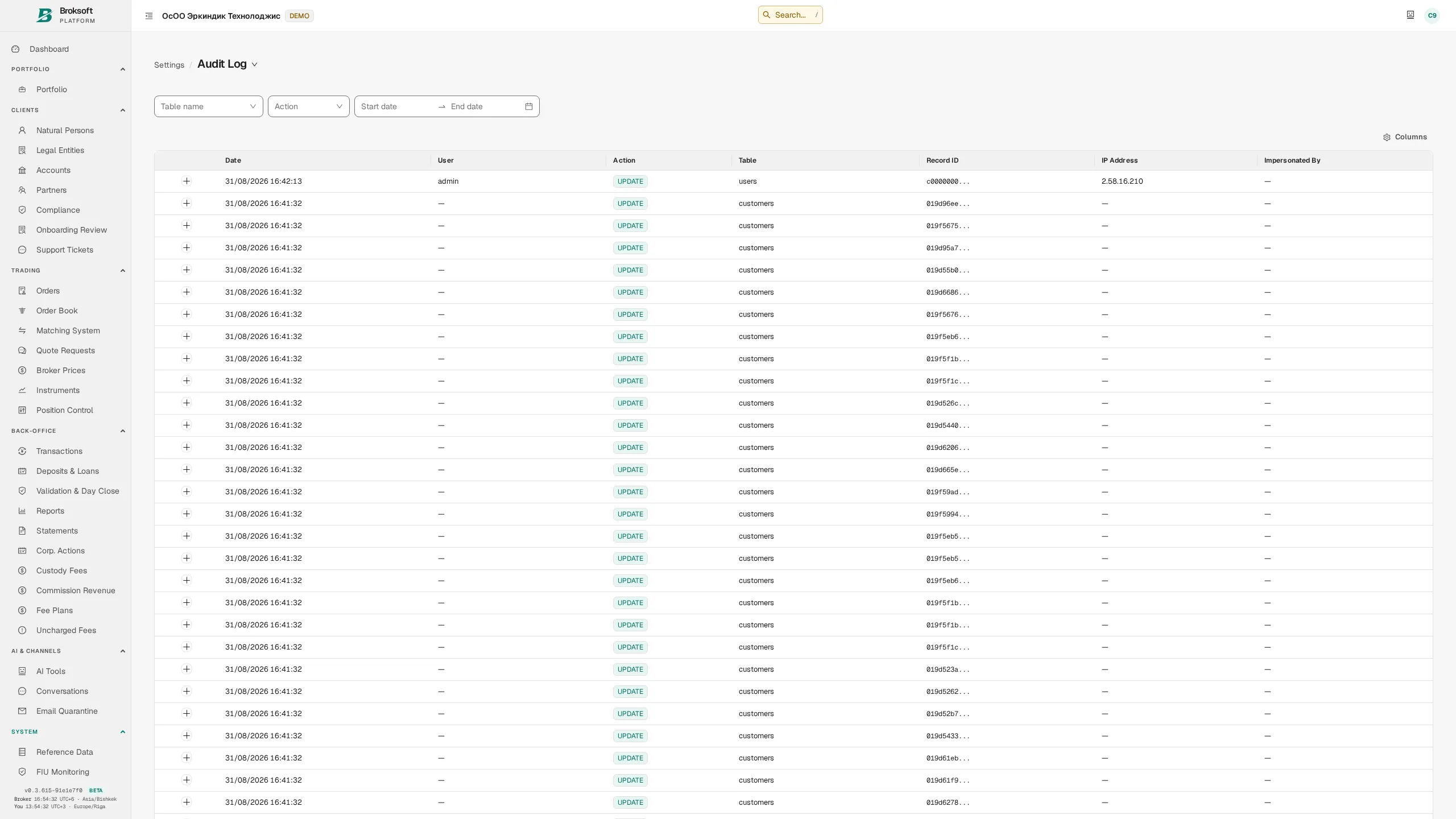
Audit trail
Changes to critical data are recorded automatically at database level, including the staff member, time, previous and new values, and IP address. Monthly partitioning supports long-term retention of the change history.
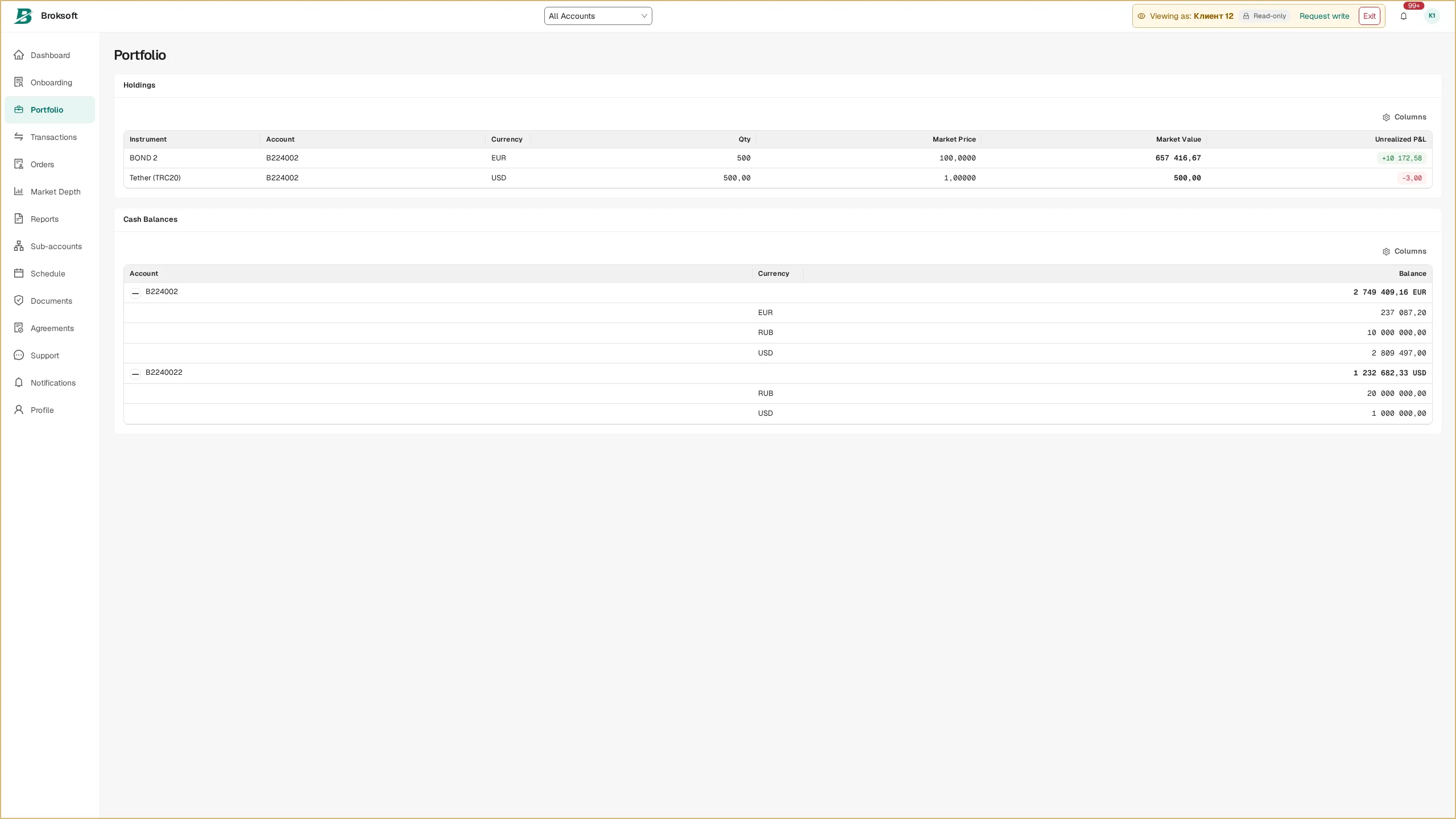
Staff access to the client portal
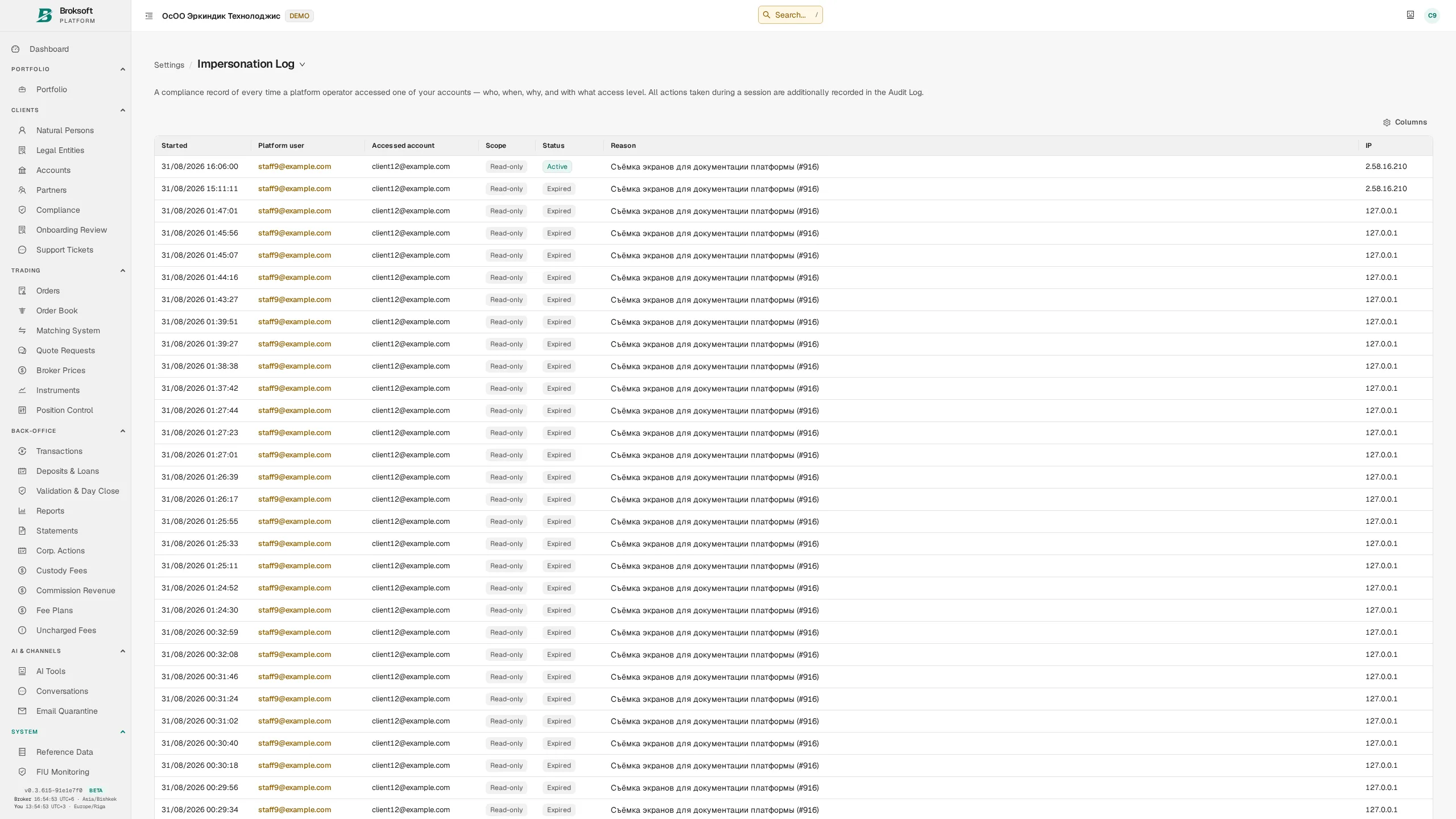
To investigate support queries, a staff member can open the portal in the client’s context using a dedicated access mode. The client’s password is not required, and the audit trail retains the staff member’s identity and the link to the client session.
- Mandatory justification — access is granted after a reason is supplied and recorded in the log.
- Read-only by default — making changes requires a separate increase in permissions and a reason.
- Time-limited sessions — increasing permissions does not extend the access period.
- Access revocation — staff suspension and session termination are checked on every request.
- Client-specific restrictions — this access can be disabled entirely for an individual client or made conditional on the staff member completing second-factor authentication.
- Visible session context — a persistent warning banner identifies whose portal is open; actions are attributed to the staff member performing them.
A separate access log records the staff member, client, time, reason, permission level and IP address for each session. The log is available to authorised roles and allows access to be reconstructed for an internal review, a client query or a supervisory request.
Reporting
Client, management and regulatory reporting from shared records
Client documents
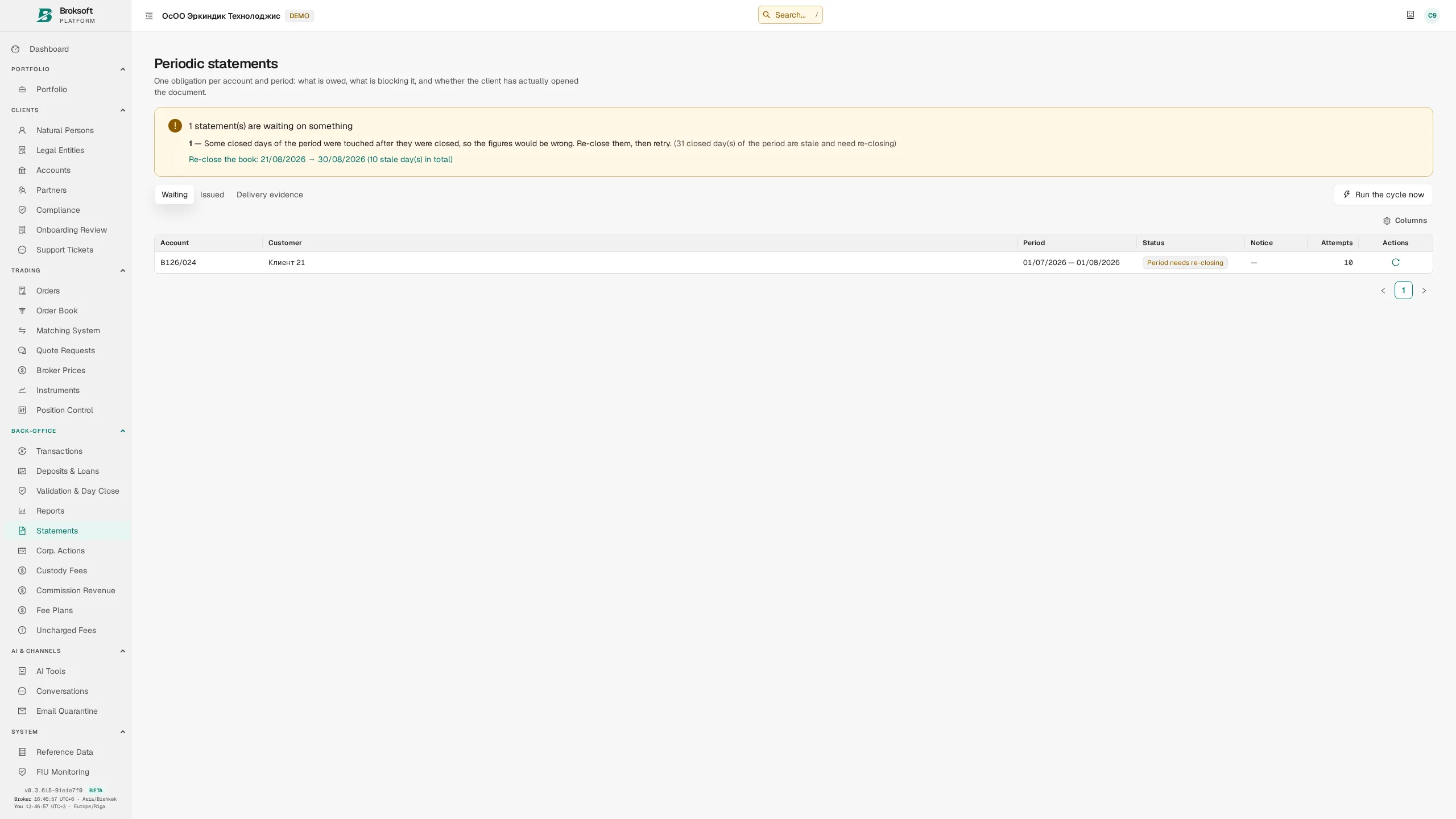
- Account statement — cash and securities movements over the period, opening and closing balances, open positions as at the reporting date, and a description of each transaction.
- Trade confirmation — trade details, price and fees; for bonds, accrued interest and the total amount including accrued interest are also shown.
- Portfolio report — positions, asset valuations and P&L.
- Fee schedule — a printable version of the client’s fee schedule, including the intermediary’s schedule for the omnibus account.
The on-screen and PDF versions of a document use the same HTML template, with the PDF generated by a browser engine. Content and presentation are therefore maintained in one place. The default paper size is A4; orientation is selected to suit the document’s width.
Management reports
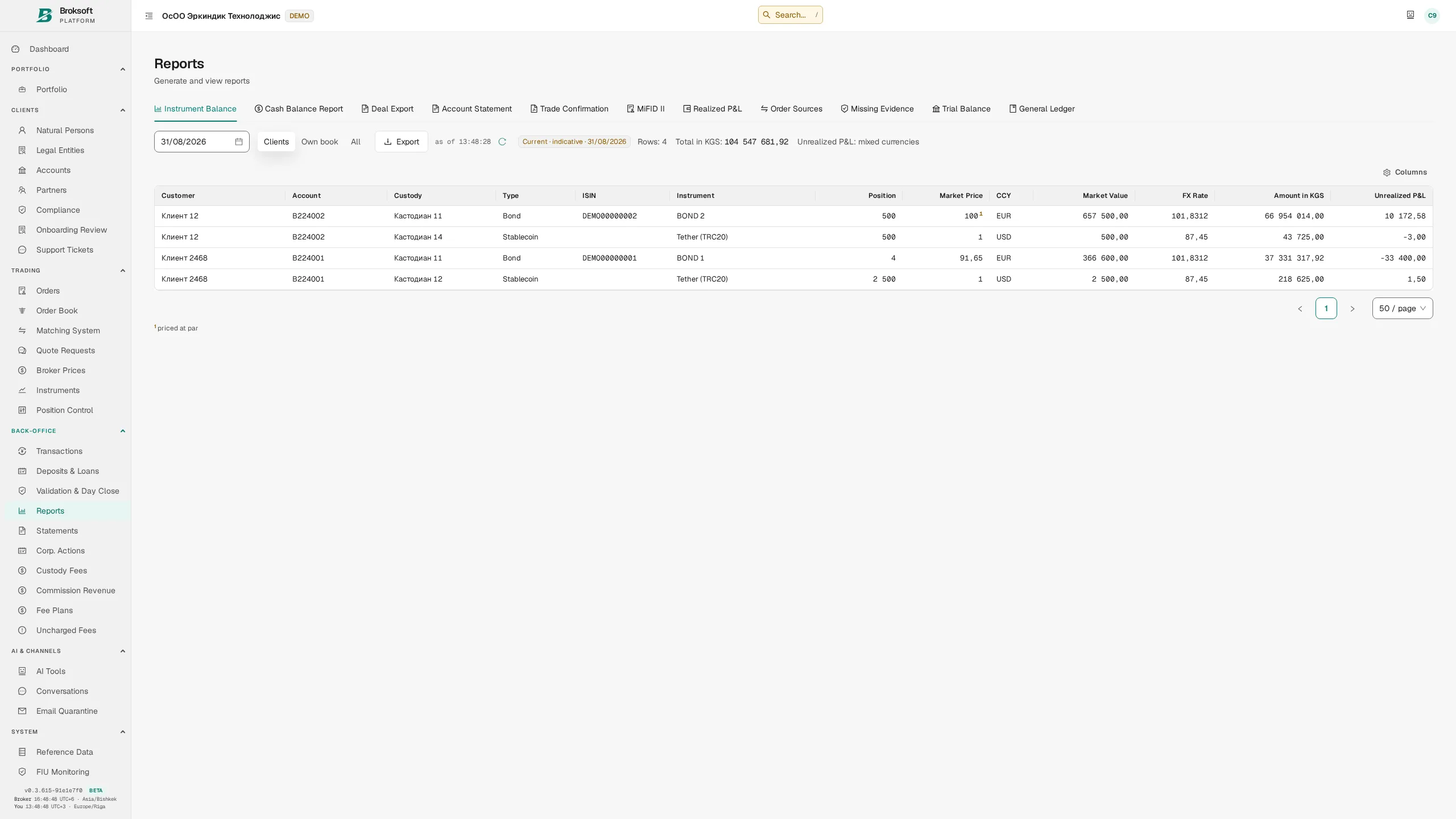
- Instrument and cash balances as at a selected date, broken down by client, account, custody location and currency.
- Realised and unrealised P&L.
- Turnover, fee income and receivables grouped into ageing buckets.
- Trial balance and posting journal.
Regulatory reporting
Data exports for regulatory reporting include a MiFID II transaction report, reports to the financial intelligence unit with supporting evidence, and VAT liabilities for the period. Data requirements and submission formats are agreed for the relevant jurisdiction during implementation. If a data read fails, export generation stops so that an incomplete report is not presented as complete.
Formats
Depending on the report, available formats include HTML for viewing, PDF for printing and retention, and CSV and Excel for further processing. Balance reports use consistent columns on screen and in exports; client and administrative versions follow the same reporting rules.
Corporate actions
Coupon and dividend payments, and securities redemptions
Processing a corporate action requires preview followed by posting. A separate rollback is available to correct an action that has already been posted.
- Preview — the system identifies holders as at the record date, calculates amounts and saves the calculation results.
- Apply — payments to all holders are booked from the saved calculation as a single batch under a common corporate action reference.
- Rollback where required — the corporate action is reversed in full. When permitted by the transaction controls, cancelling one holder’s distribution leaves other holders’ payments unchanged; linked cash and securities entries for that holder’s redemption are cancelled together.
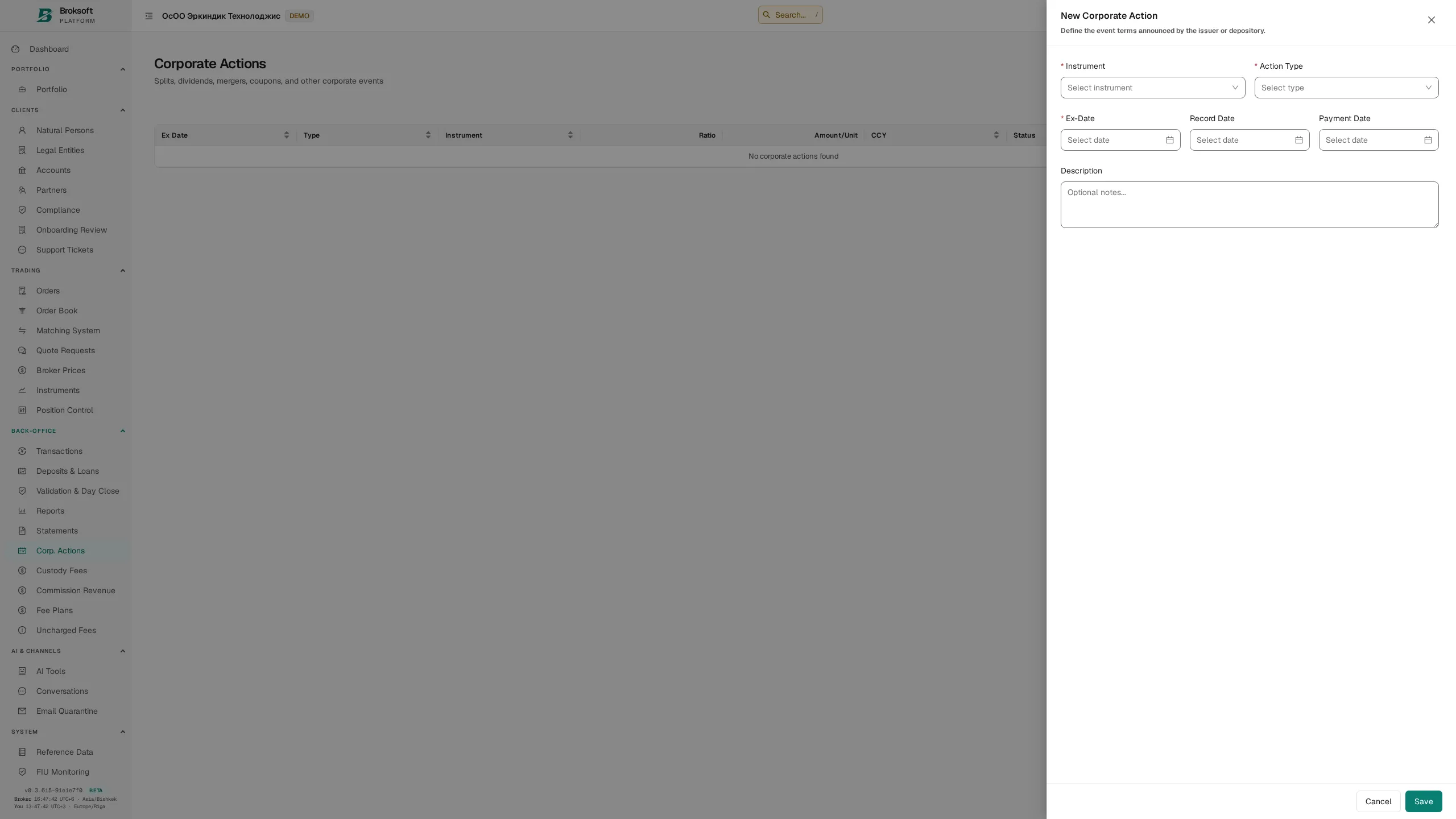
Coupon payments, cash dividends and redemptions are supported. The common processing workflow is designed to be extended to stock splits, mergers and spin-offs; calculation and posting for these action types have not yet been implemented.
Financing and derivatives
Repos, securities lending and borrowing, deposits and margin positions
Repos, securities lending and borrowing
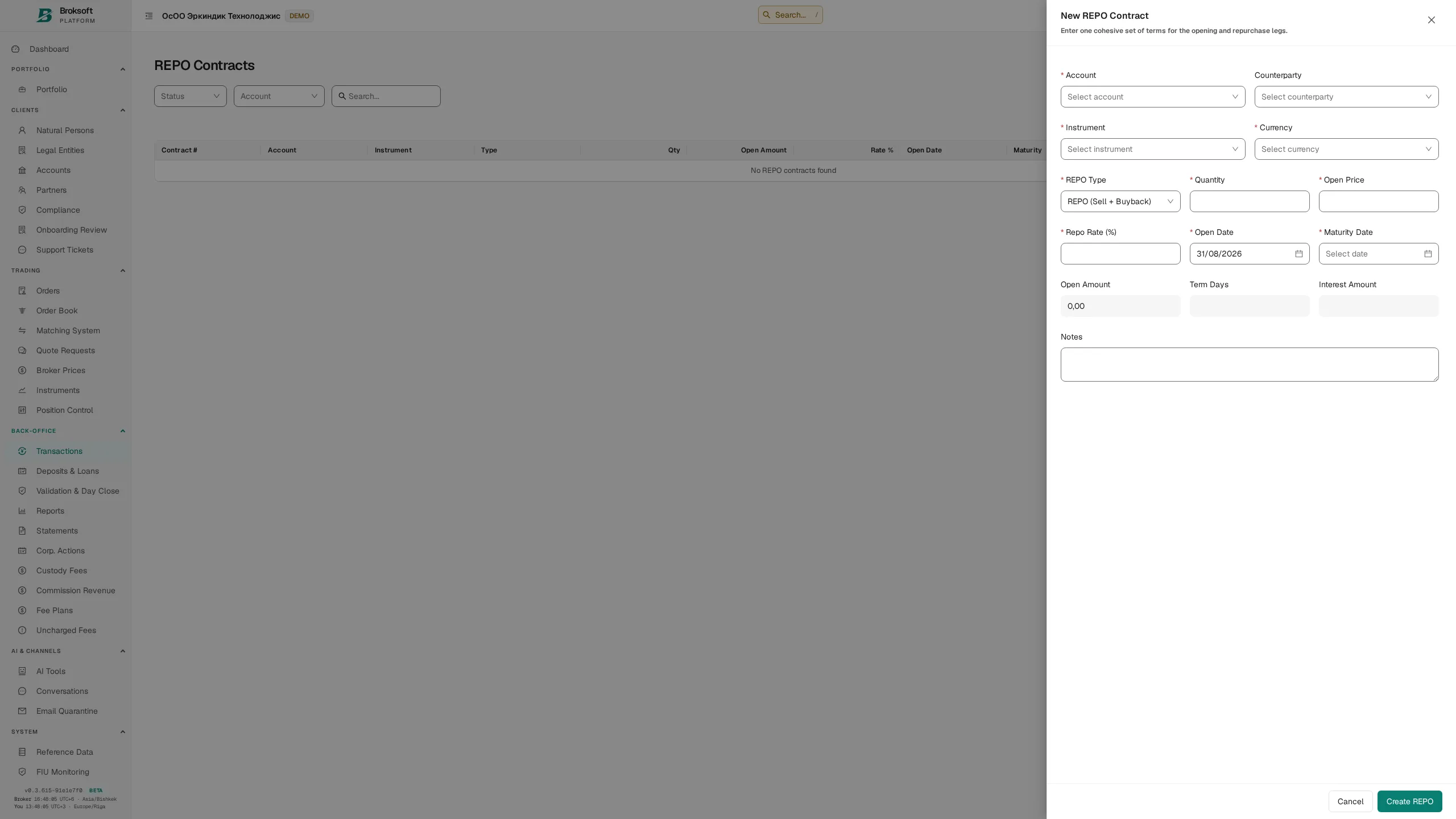
Repos, reverse repos and securities lending and borrowing are recorded as linked opening and closing transactions. The deal record includes the rate, term, accrued interest and collateral model: a pledge without transfer of title, or a title-transfer arrangement. Interest accrues daily on a schedule. Under the pledge model, the relevant securities quantity is blocked within the lot and excluded from the balance available for sale.
Deposits and client loans
Client term deposits and loans to clients specify the amount, rate, term, day-count convention and schedule. Transactions are recorded in the unified accounting system and included in reporting.
Margin trading
The platform supports margin positions, daily revaluation, interest accrual and account-level margin calls with automatic notifications. The brokerage firm sets the rates and parameters.
Derivatives
The system tracks contract status: open position, expiry, exercise, assignment or settlement. Option exercise is recorded as linked transactions closing the contract position, transferring the underlying asset and settling the cash amount.
Market data and integrations
Market data feeds and information exchange with external systems
Prices and exchange rates
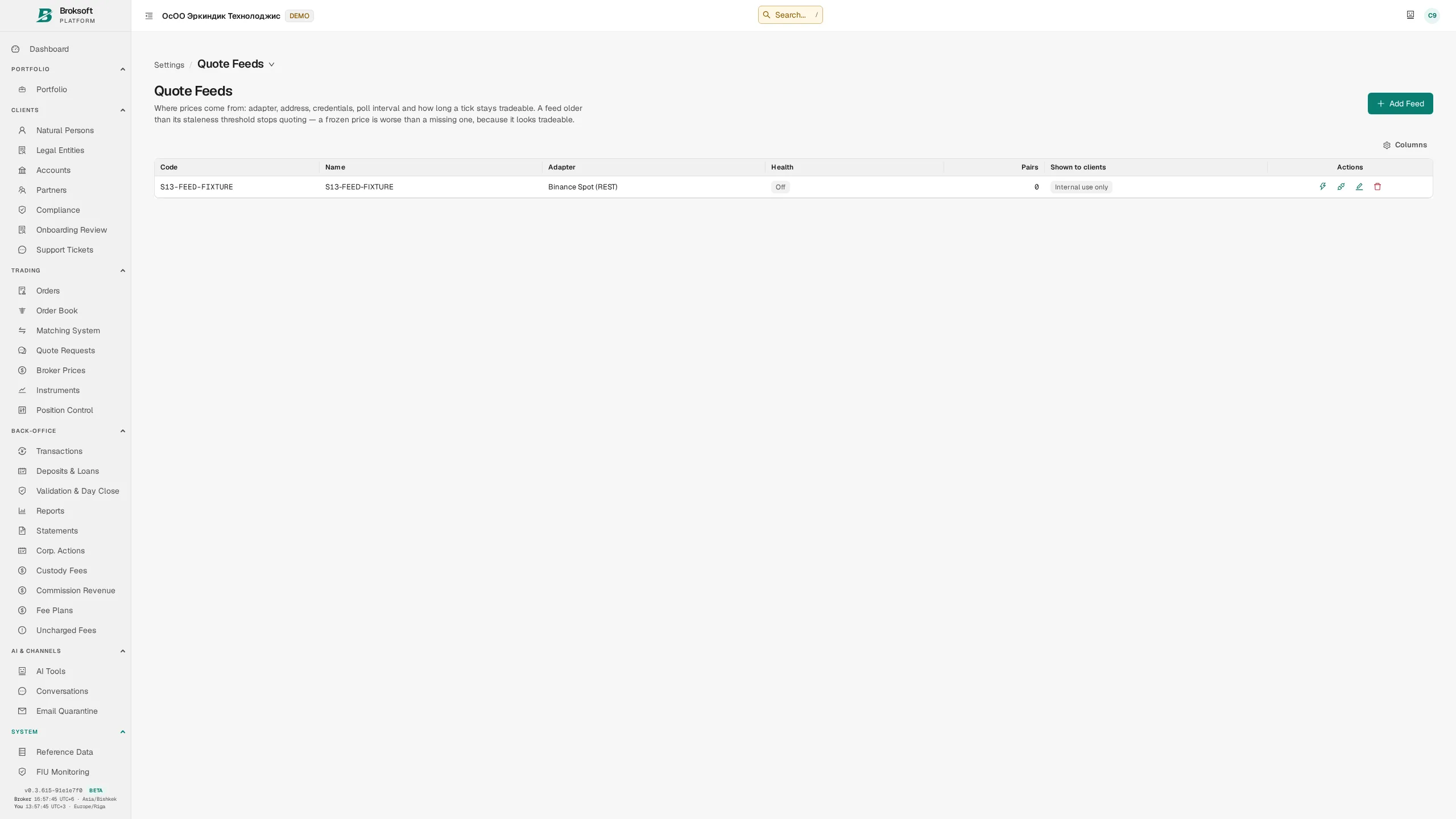
Market data feeds are configured through reference data: provider, symbol mapping, update frequency and freshness checks. For prices used in portfolio valuation, the system displays the valuation basis and the date of the price.
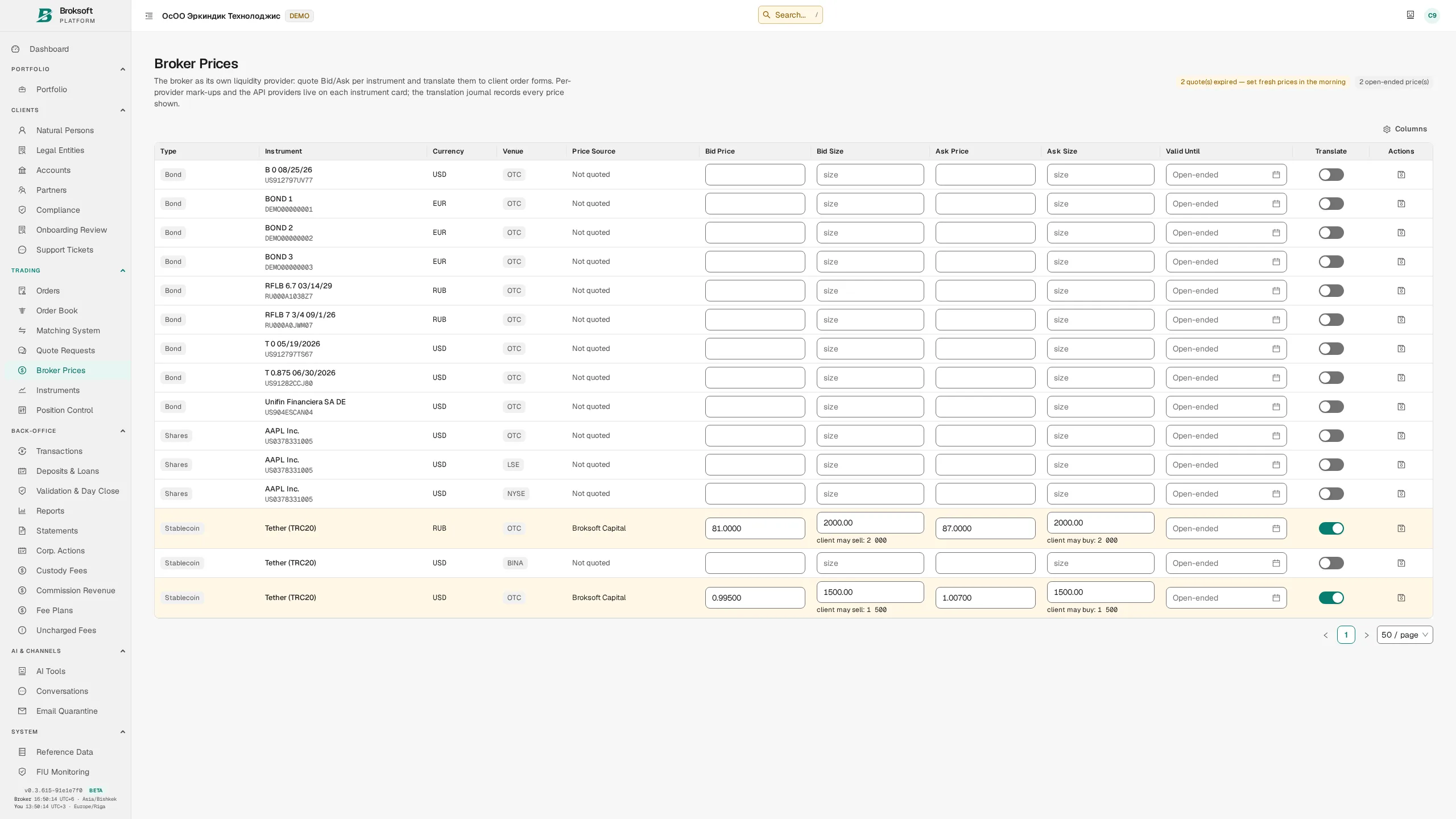
Exchange rates are obtained from several sources — a regulatory authority, an exchange or manual entry — and selected according to the source priorities set for the organisation. Manually entered rates have the lowest priority and do not override an available rate from a higher-priority source. Where no direct rate is available for a currency pair, the system derives a cross-rate through a reference currency, using data from a single source.
Data import
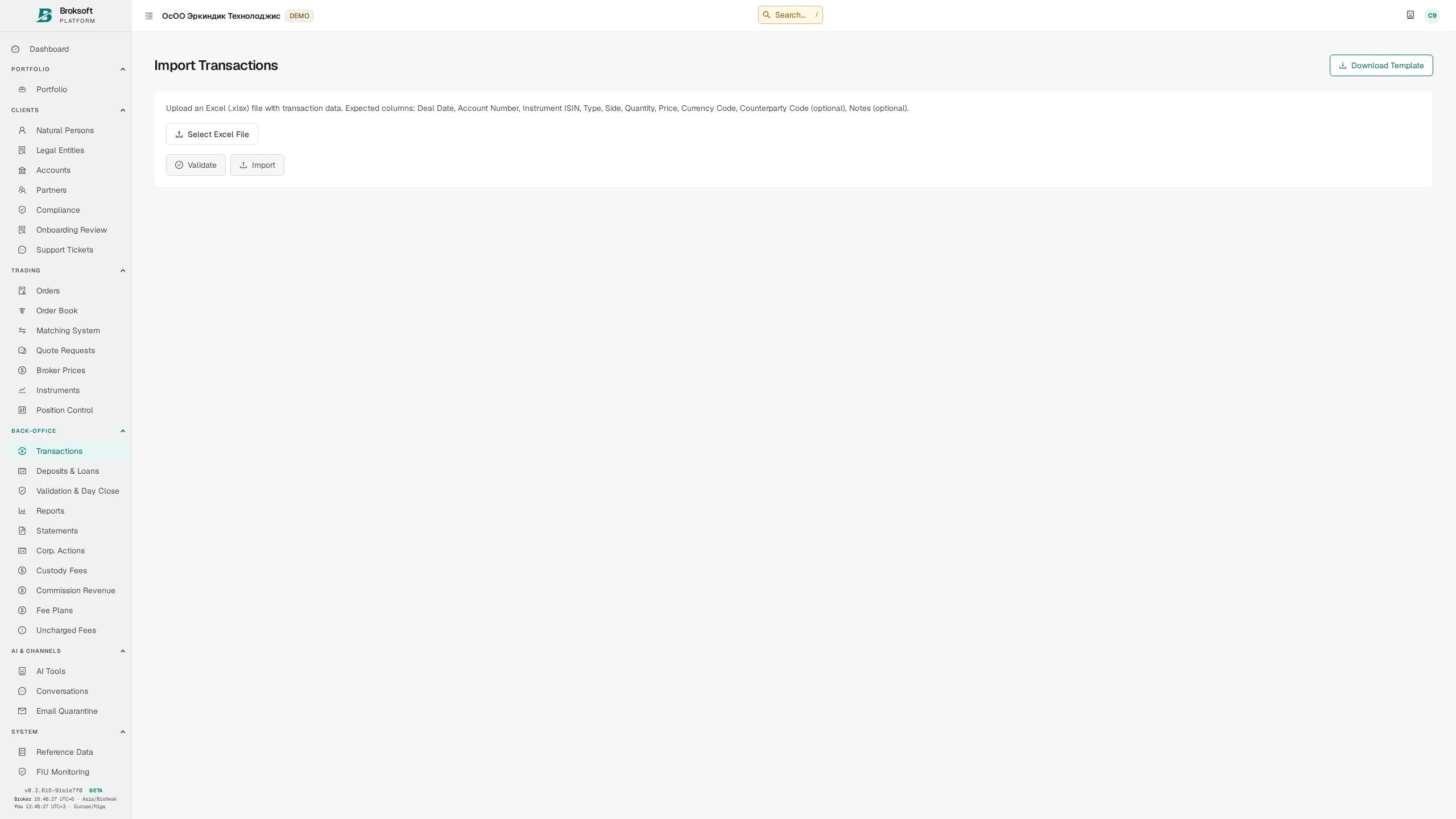
Transactions, reference data and balances can be imported from files with validation before import. The system previews the records to be created and identifies rows that require correction.
API and data exchange
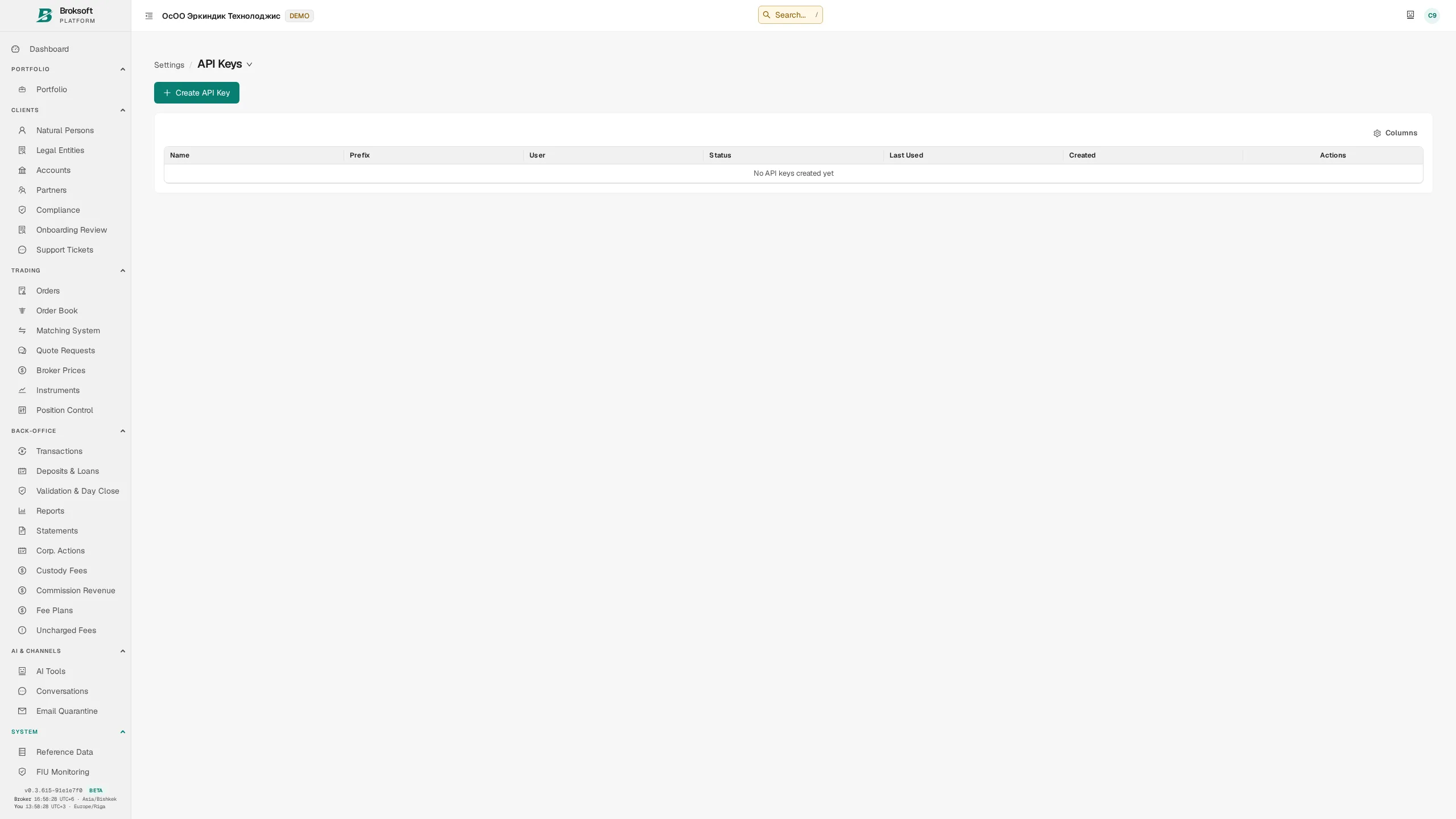
A REST API (774 statically declared operations) with access keys and permission controls connects the platform to accounting systems, CRM and trading infrastructure. Keys are created and revoked through the interface, and API requests are logged.
- Email gateway — delivery of client documents and notifications, with quarantine for suspicious incoming messages.
- Real-time events — the client portal receives notifications without a page reload.
- Telemetry — at your discretion, technical information about the deployment is shared with the provider for support.
AI assistant
Supports staff while leaving decisions in their hands
The language model assists with text and documents. Financial calculations and transaction booking follow the accounting system’s rules.
Transaction descriptions
The assistant uses the client’s instructions to draft a concise transaction description for the account statement, following the firm’s house style. A staff member reviews, edits and confirms the result.
Data explanations
Answers to questions about accounts and portfolios, based on data supplied by the system.
Document processing
Extraction of client details from documents during onboarding.
Policy search
Semantic search across internal policies and requirements uploaded to the knowledge base.
- Numbers and dates follow the organisation’s settings — the model receives formatted values; monetary calculations remain the responsibility of the accounting system.
- Prompt-injection safeguards — client text is delimited as data, its length is capped and instruction delimiters are removed. These measures complement human review of the output.
- Staff confirmation — a generated transaction description is saved in the accounting records only after review and confirmation.
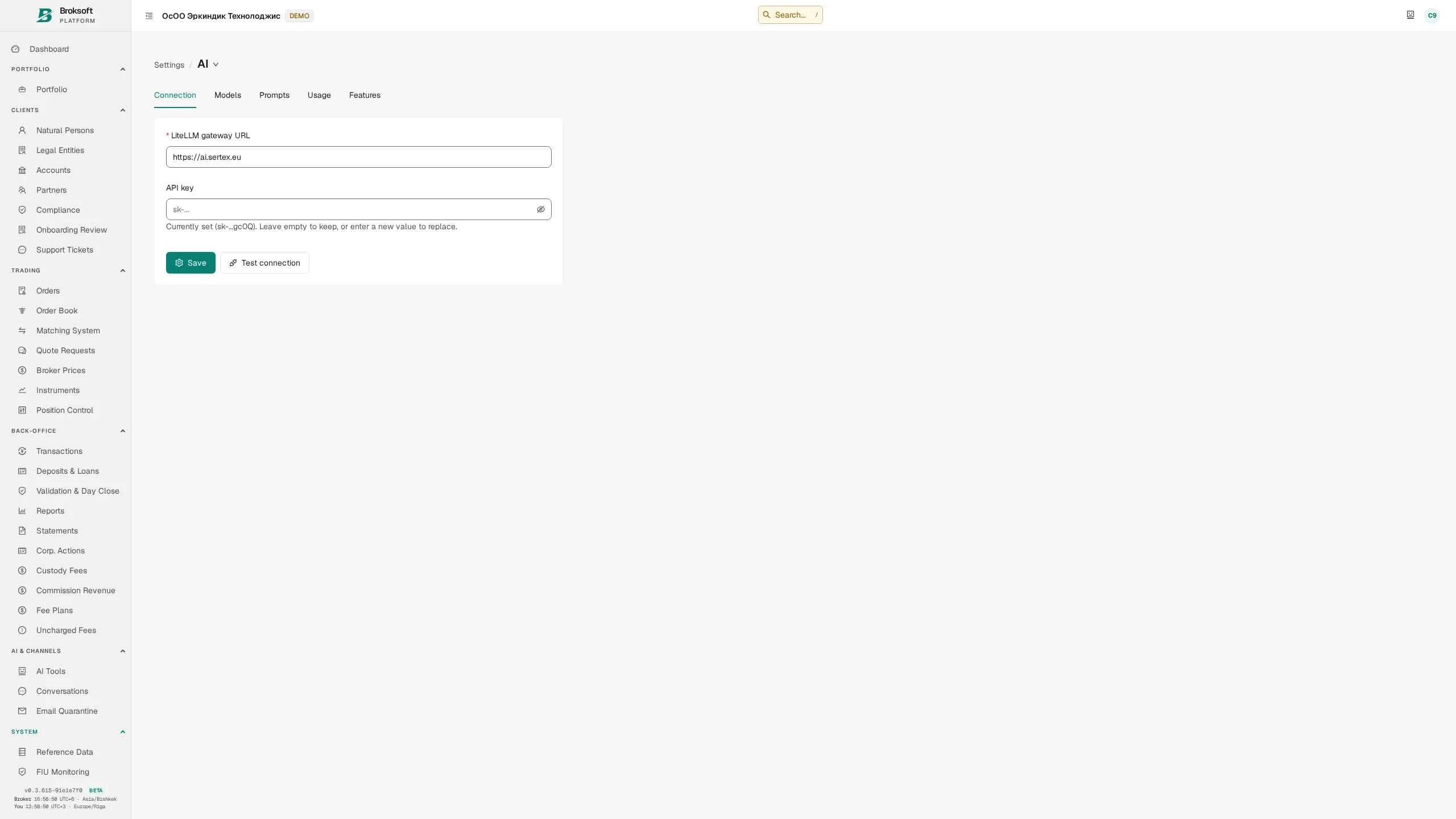
- Cost control — usage costs are displayed in settings; the brokerage firm selects the model and usage limits.
Platform configuration
Operational settings under the brokerage firm’s control
Transaction matrix
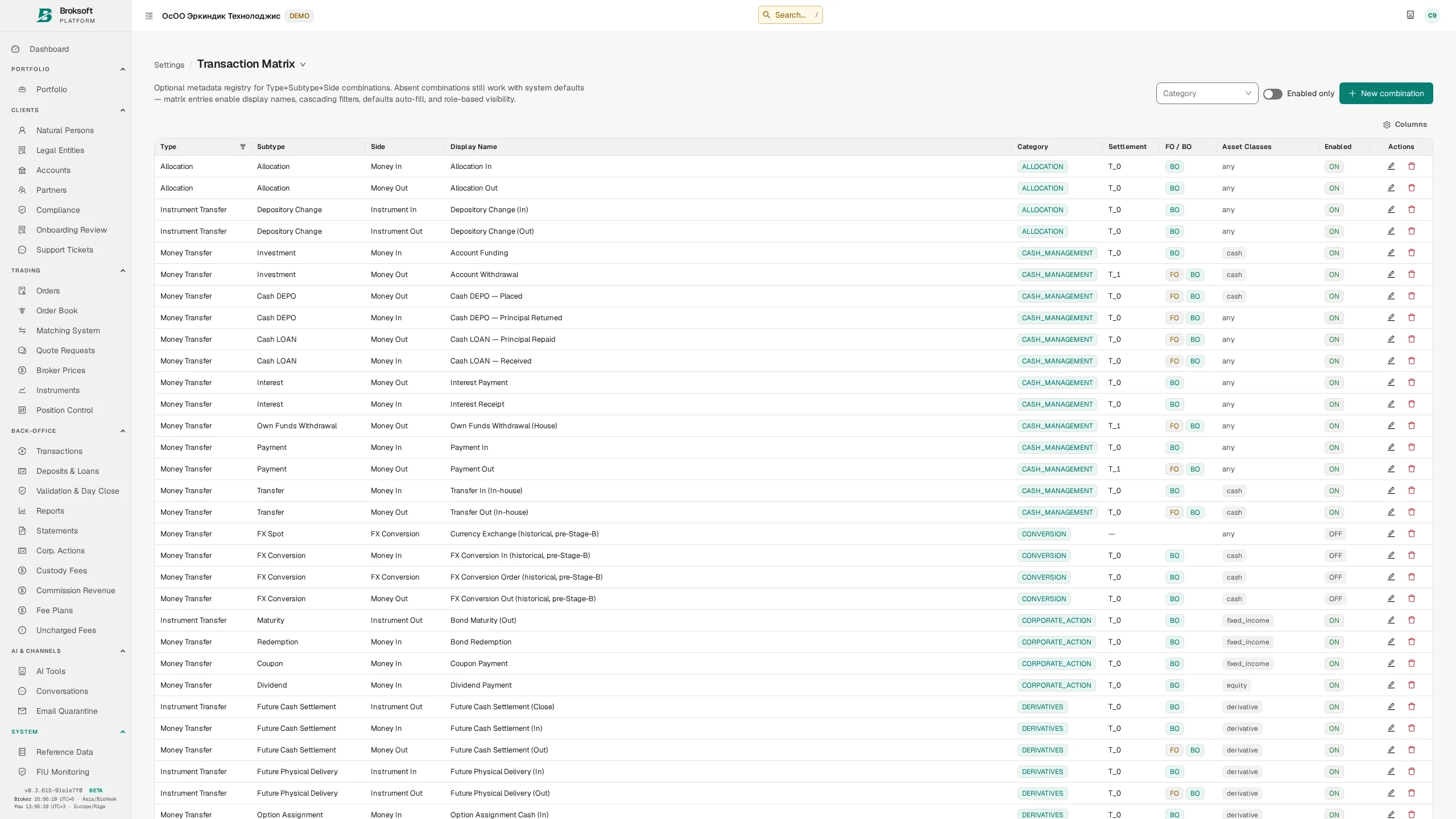
The matrix defines permitted combinations of transaction type, side and subtype. Each combination specifies its category, settlement type, accounting and tax treatment, front-office and back-office validation requirements, and access permissions. Transaction forms can be configured within the business logic supported by the system.
Field configuration
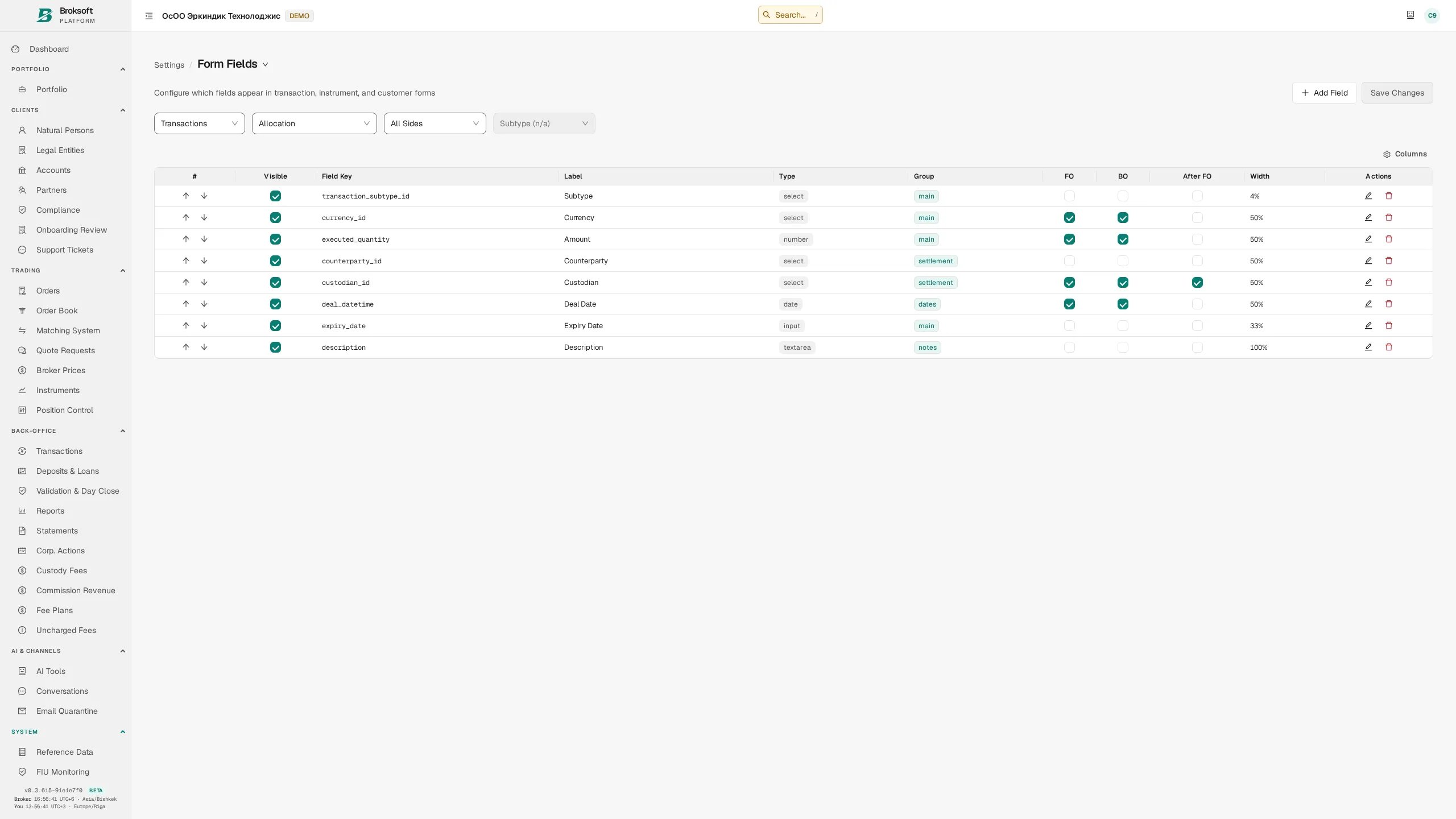
Settings for transaction, instrument and client types define field visibility, mandatory fields at the front-office and back-office stages, and permitted ranges and formats. Shared settings support form generation and data validation. In addition to field rules, the server checks the user’s permissions and the business conditions for the operation.
Reference data
More than forty reference datasets are maintained through the interface: countries, currencies, client and account types, custodians, counterparties, cancellation reasons, corporate action types, day-count conventions, market groups, holiday calendars, statuses and bond attributes. Values can be added to editable reference datasets without developer involvement.
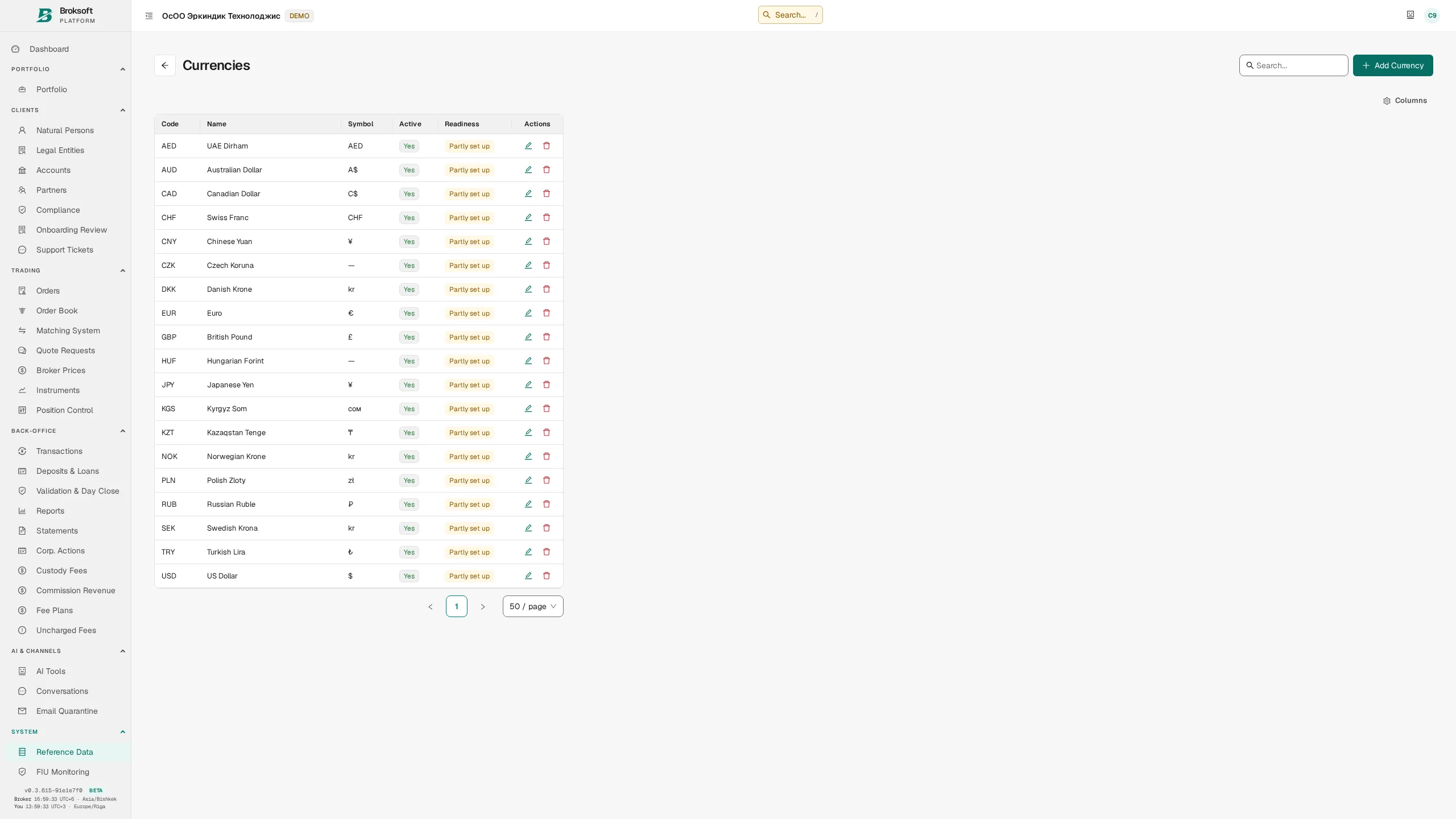
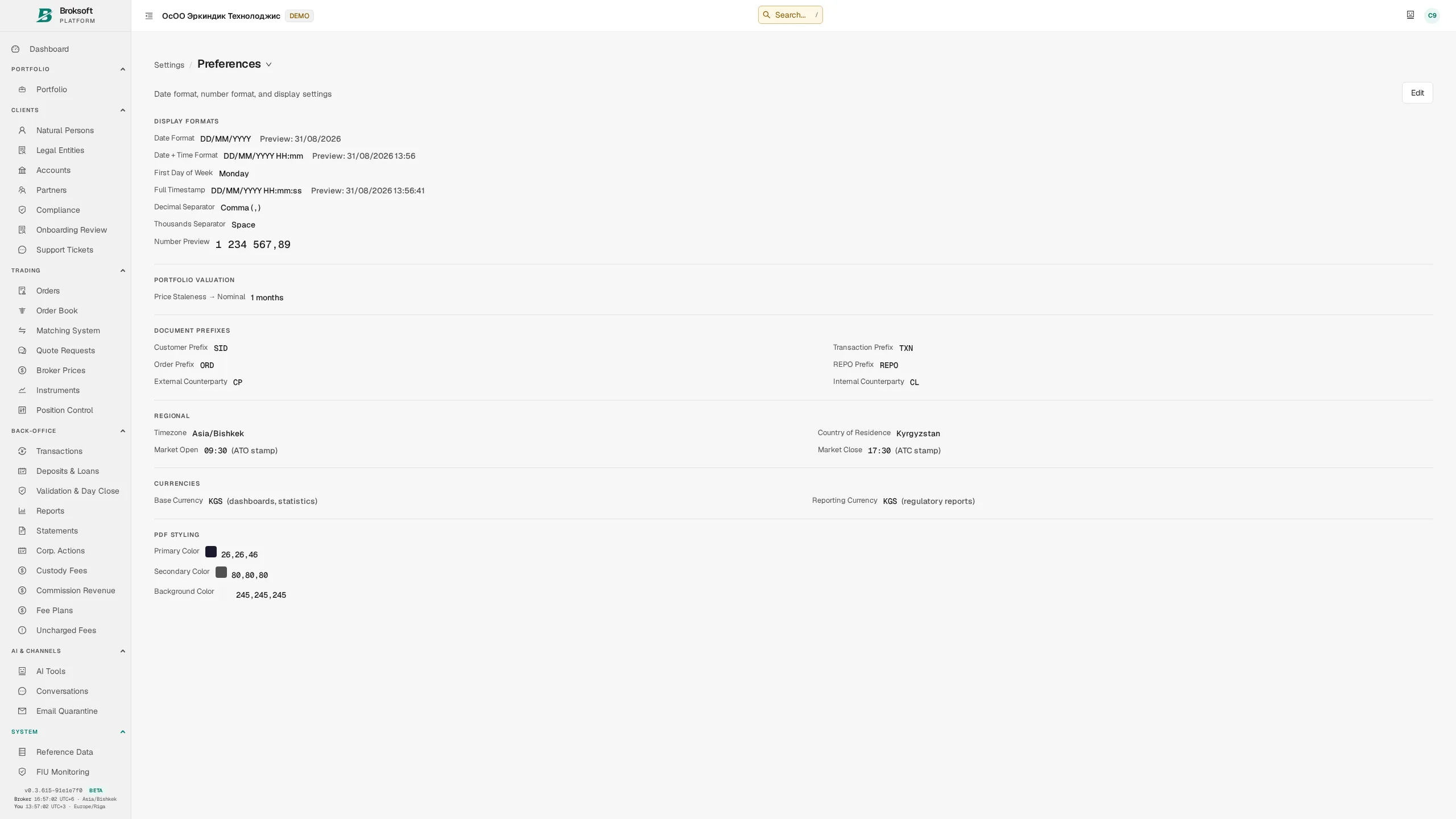
Formats and language
The organisation sets thousands and decimal separators, date format, accounting time zone, base currency and the reference currency for conversions. These settings are used in the interface, reports and exports, and when preparing data for the AI assistant.
Users select an interface language from the available translations. Client documents can be produced in the chosen language where the corresponding template is available. Language coverage is extended by translating the interface and document templates.
Access and security
Permission controls, session security and access oversight
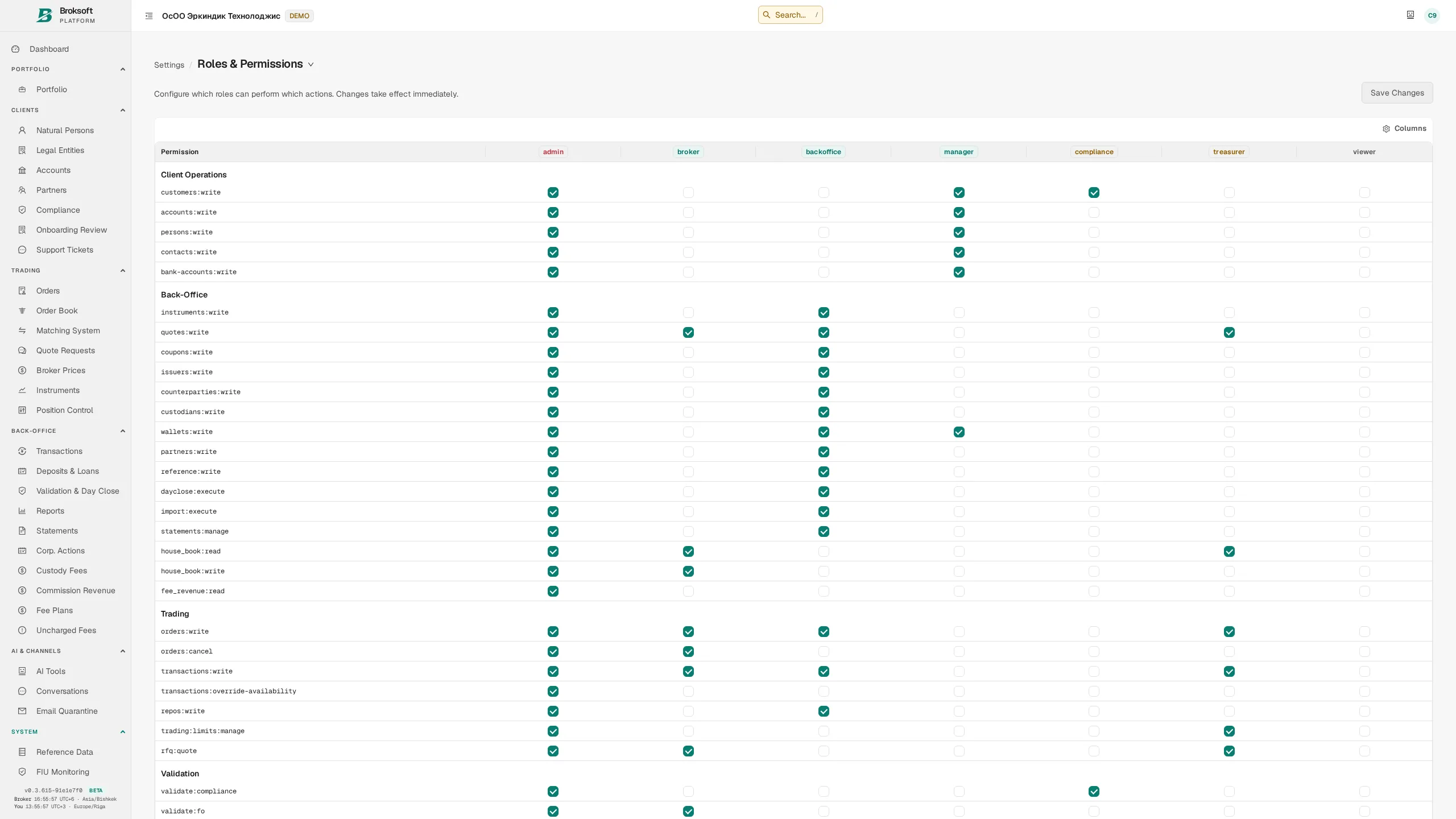
Roles and permissions
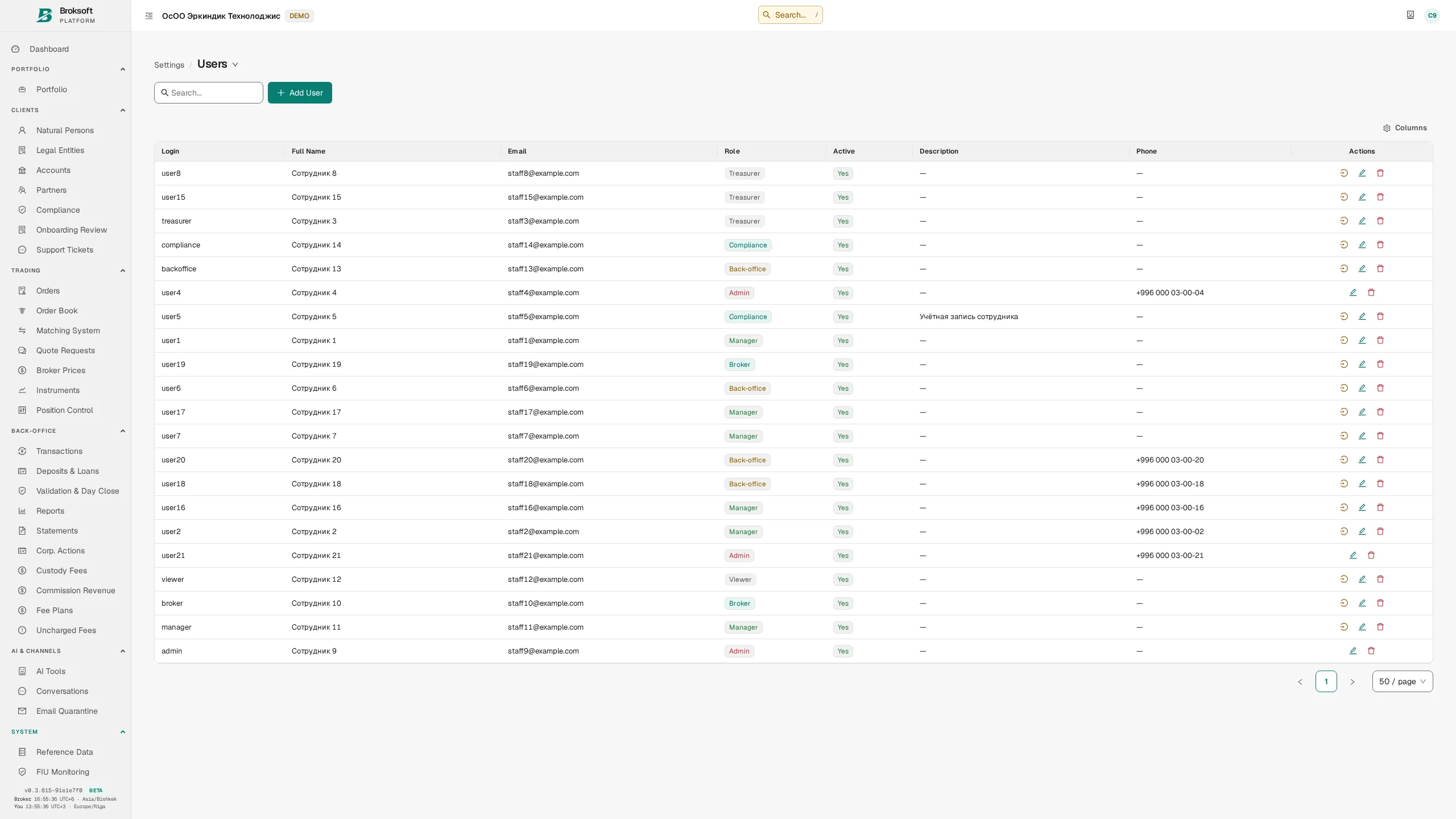
Role-based access control assigns permissions to roles and the appropriate role to each user. Changes to the permission matrix take effect from the next request, without a system restart. Roles include administrator, broker, manager, back-office officer, compliance officer, treasury officer, viewer and client.
Authentication and sessions
- Two-factor authentication (TOTP), with administrator-assisted recovery and re-enrolment.
- Access tokens are held in browser memory, without being written to localStorage or sessionStorage. Closing a tab does not itself revoke the session; use sign-out to end it.
- Refresh tokens — stored in a protected cookie with a restricted path, inaccessible to JavaScript.
- Staff account suspension — access is blocked from the next request, even if the token has not yet expired.
- Login attempt limits — protection against password guessing operates separately from general request limits.
- User time zones — dates and times are displayed in the chosen time zone, while each event’s timestamp is stored unambiguously.
Controlled client-account access
To assist a client, an authorised staff member can open the client’s portal in a separate session. This impersonation session has a limited duration and scope, with its own access-log record:
- A reason is mandatory — the staff member states the purpose of access, which is retained in the session record.
- Read-only by default — client data cannot be changed until the staff member explicitly requests write access and supplies a separate justification. The session’s expiry time is unchanged.
- Checks on every request — suspending the staff member or client, or ending the session, prevents further access.
- Client-level restrictions — support access to the client account can be disabled; additional protection can require the staff member to confirm access with a second factor.
- A dedicated access log — records the staff member, client, time, reason and permission scope, complementing the change audit trail.
- One-time access credentials travel in a protected cookie — they are consumed after use and excluded from the page URL, browser history, URLs in proxy logs and referrer headers.
Data protection and isolation
- Organisation isolation — requests run in the context of the relevant organisation (tenant); its exchange rates, fee schedules and balances are unavailable to users of another organisation.
- API keys — carry defined permissions and can be revoked; actions performed with a key are logged.
- Encryption of sensitive settings — credentials for external systems are stored in encrypted form.
- Backup and recovery — native database tools support a full backup and restoration to another server.
Operations and reliability
Scheduled processes and system health monitoring
Scheduled jobs
Schedules are configured through the interface. Each run records its start time, duration, work performed and outcome. The timetable below is illustrative; the actual frequency is determined by the settings.
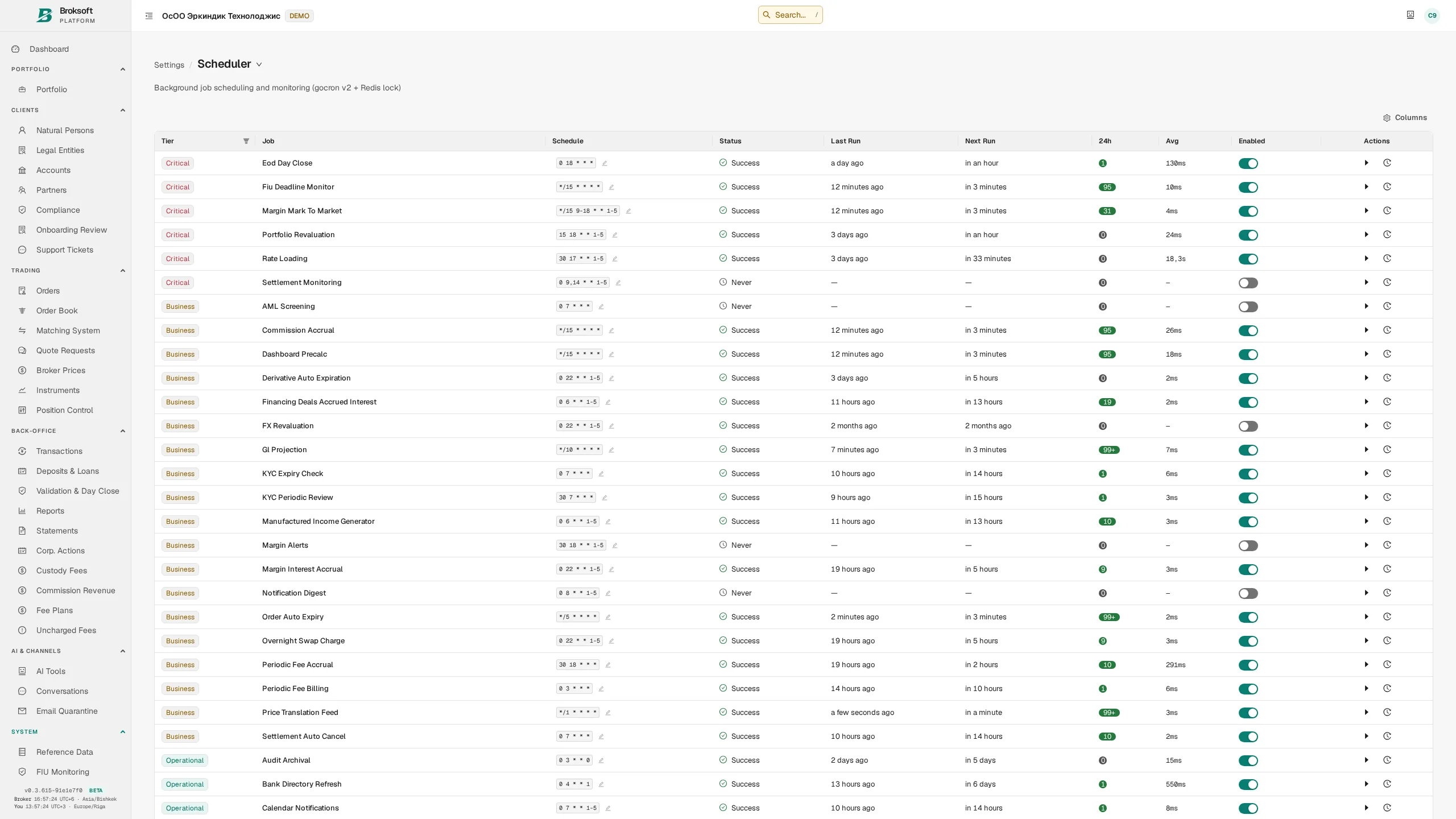
| Job | Frequency | Purpose |
|---|---|---|
| Exchange rates and prices | Daily | Retrieve prices and exchange rates from configured providers |
| End-of-day close | Each evening | Record official closing positions, valuations and profit or loss |
| Recurring fees | Daily | Accrue custody, management and service fees |
| Interest and swap charges | Daily | Accrue interest on financing, margin and overnight positions |
| KYC monitoring | Daily | Initiate client reviews and send expiry reminders |
| Settlement monitoring | Twice daily | Identify overdue deliveries |
| Statements | Monthly | Generate and distribute client documents |
| Database maintenance | Daily or weekly | Update statistics and archive logs |
Monitoring
The monitoring area shows query performance, index usage, table sizes, connections and the freshness of calculated views. It also provides reconciliation against the general ledger and a record of application errors.
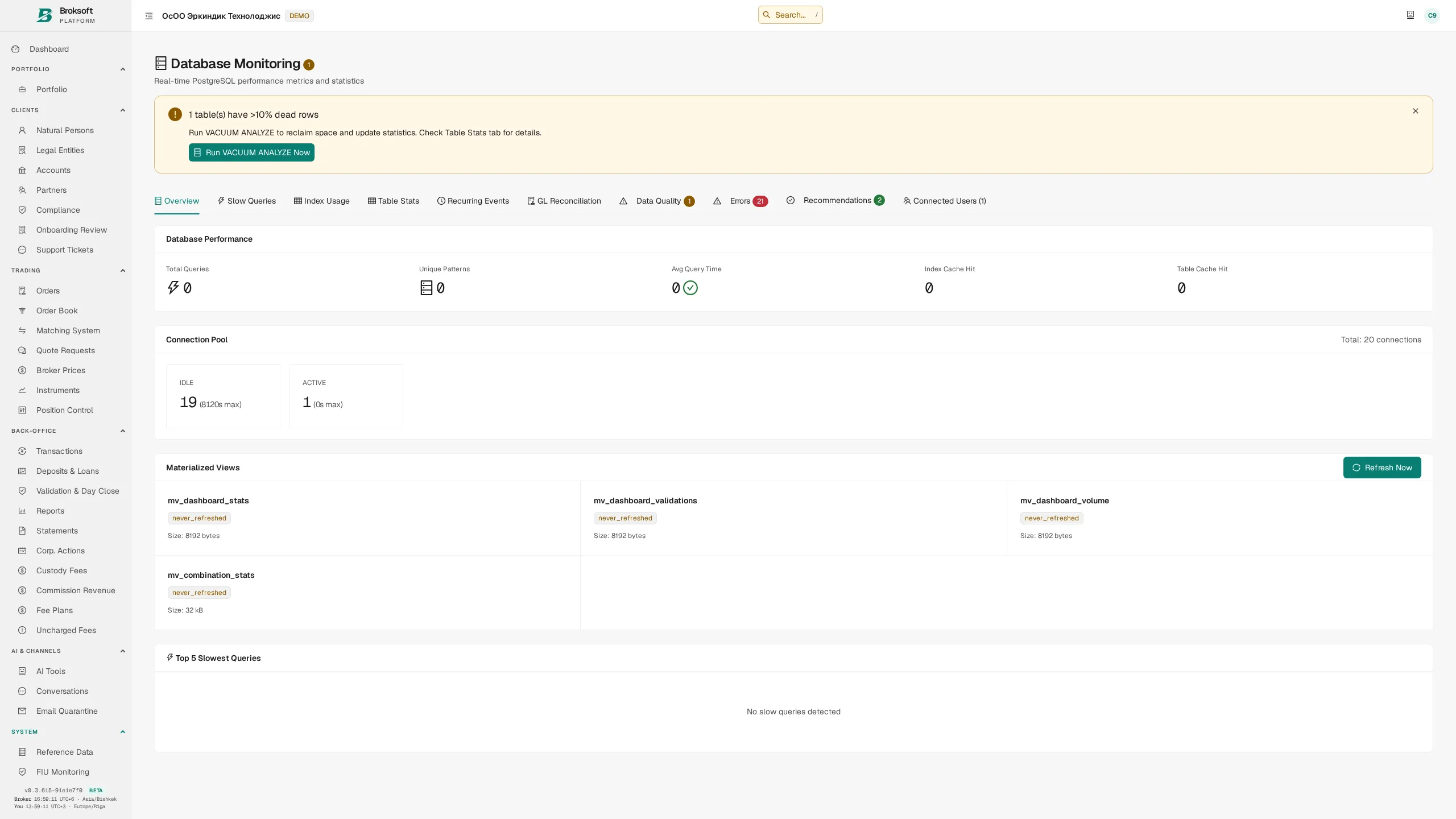
Application errors are captured automatically and repeat occurrences are consolidated: ten thousand instances of the same error appear as one record with a counter. When telemetry is enabled, this information also reaches the provider’s central monitoring system, helping identify issues before a client reports them.
Jurisdictions and localisation
Configuration for markets, settlement calendars and local requirements
- Organisation (tenant) — a separate environment for a legal entity, with its own base currency, time zone, formats, calendar, fee schedules, reference data and reporting. A single deployment can serve several organisations with access to their data kept separate.
- Market calendars — holidays and business days for the Kyrgyz Republic, Russia, the euro area (TARGET calendar), the United States, the United Kingdom, Switzerland and other markets. These calendars are used to determine settlement dates.
- Day-count conventions — ACT/365, ACT/360, 30/360 and others, set in the instrument record.
- Tax rules — configured with effective periods; the rate applied is retained in the transaction.
- Residency and client type — parameters used in fee selection and reporting.
- Languages — translation of the interface and client document templates.
- Regulatory reporting — available formats and any required adaptations are agreed against the requirements of the relevant regulator.
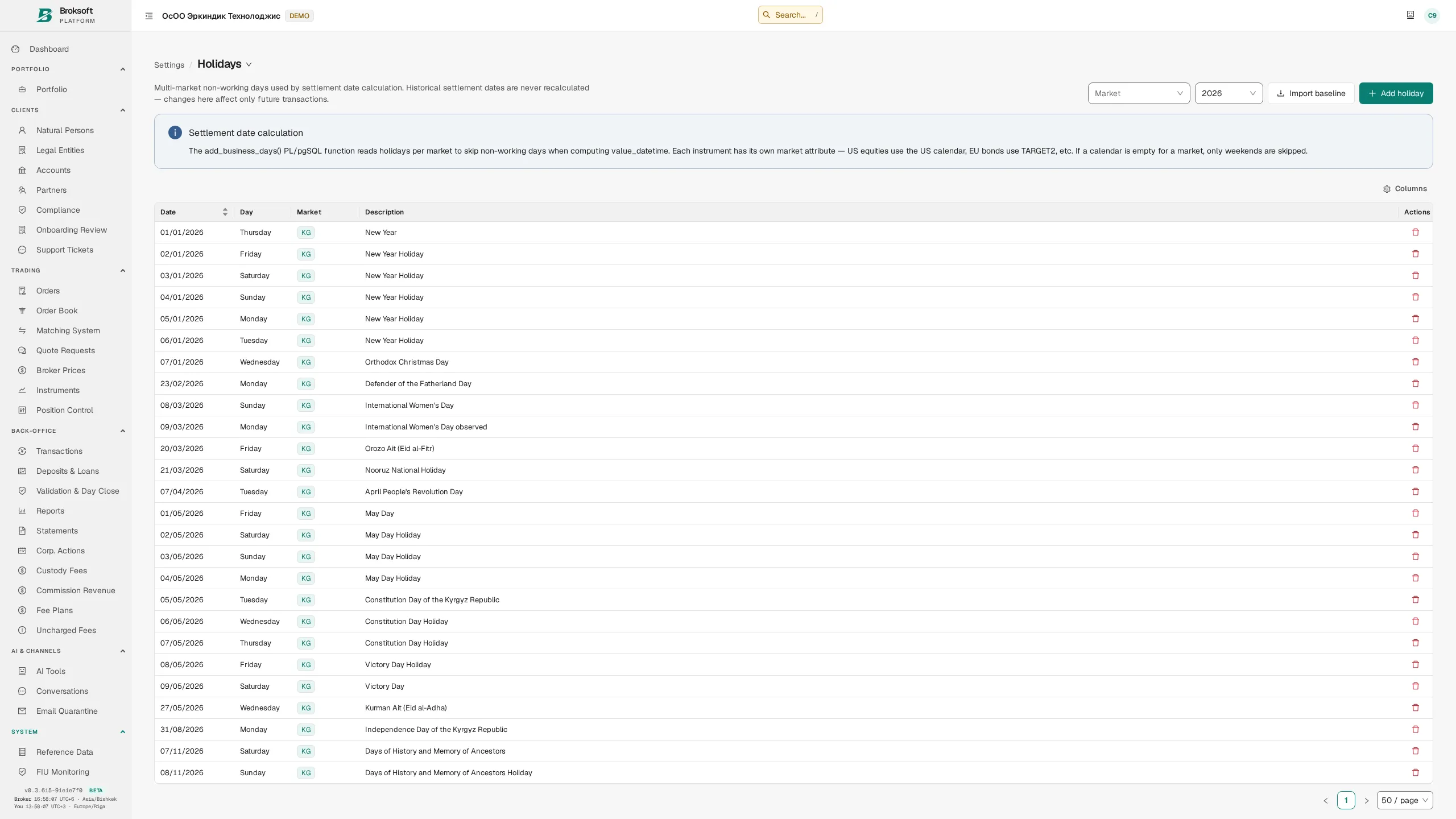
The first implementation is tailored to the Kyrgyz Republic, including its local calendar, document formats and workflows for preparing reports for the financial intelligence unit. The architecture supports configuration for different jurisdictions. The applicability of features, reporting coverage and any necessary development are assessed during implementation; configuration options alone do not establish compliance with all regulatory requirements.
Quality assurance
How accounting correctness and the reliability of changes are verified
Verification before release
- 918 end-to-end tests across 46 suites exercise the running system, from booking a trade to its presentation in the client’s account statement.
- Accounting invariant checks — a dedicated suite verifies the underlying data: balanced double-entry postings, consistency between lots and booked transactions, and the reasons for cancellations and fee accruals. Detected violations block release.
- SQL validation against the current schema — static SQL queries that the analyser can inspect are checked against a running database. Integration tests complement this by executing operations.
- Two stages of code review — the author’s review followed by an independent adversarial review aimed at finding counterexamples and overlooked scenarios.
- Migration rehearsals — schema changes are tested both on a fresh database and on a restored copy of the relevant deployment’s operational database. A successful rehearsal is required before a migration is released.
Engineering principles in daily operations
Shared calculation rules
Common rules for fee rates, exchange rates and cost basis are used across the interface, reports and accounting records, reducing the risk of discrepancies.
Explicit failure reporting
A check that has not run is marked as unverified. An unavailable value must not be replaced with zero.
Immutable ledger postings
General ledger postings are retained. Permitted corrections and cancellations are reflected through reversing entries and, where necessary, new postings.
Configuration-led operation
Supported transaction combinations, fields, fee schedules and reference data are configurable. Extensions to the business logic are assessed separately.
Technology
The accounting core uses PostgreSQL 18, with integrity constraints, functions and triggers; the backend is written in Go and the interface in React. The schema contains 301 tables and 39 views, with its evolution recorded in 611 migrations. The application is delivered as an executable with an embedded interface or as a container; the database and required services are deployed separately.
Deployment, implementation and support
From choosing a deployment model to ongoing support
Deployment
- Self-hosted deployment — the application, database and cache run within your infrastructure. Sharing technical information with the provider for support is configured separately.
- Managed deployment — the provider operates the infrastructure under a separate agreement.
- A single application — the interface is embedded in the executable and needs no separate hosting service. The database, cache and other required components are installed separately.
- Installation without demo data — your reference data, fee schedules and users are in place from day one.
Your brand — white-label
The logo, brand mark, colour scheme, domain, client document wording and report headers can be configured for your brand. Clients interact with a service presented under your company’s identity.
Data migration
Reference data, clients, accounts, balances and transaction history are transferred from your existing system through an import process with validation before loading. Opening cash balances and positions are reconciled before go-live.
Support and development
- Updates with migration rehearsals on a copy of your data.
- When telemetry is enabled, technical errors are automatically reported to the provider for analysis and support.
- Agreed development to address regulatory requirements and your firm’s internal processes.
- Documentation is maintained alongside the platform; the published version is built from a single set of source materials.
Core platform and optional modules
| Capability | Availability |
|---|---|
| Back office, accounting, double-entry ledger and end-of-day close | Core platform |
| Client portal, documents and reports | Core platform |
| Fees, fee plans and VAT | Core platform |
| Compliance: KYC, agreements, four-eyes control and audit trail | Core platform |
| Internal order book and execution | Core platform |
| Multiple currencies, languages and organisations | Core platform |
| Omnibus accounts and sub-accounts | Optional module |
| Partner programme | Optional module |
| Cryptoassets and wallets | Optional module |
| Financial intelligence unit reporting | Optional module |
| Repos, loans and margin trading | Optional module |
| AI assistant | Optional module |
| External market data feeds and straight-through processing (STP) | Optional module |